
Do you have a plan? Goals? What about a schedule?
If not, you’re probably wasting a lot more time than you need to in working on your creative projects.
Today we’ll be talking about the power of planning and preparation in your creative work. Lots of creators have inconsistent schedules when it comes to working on their content, which leads to inconsistent creativity! Whether you’re a YouTuber, streamer, or any other kind of creator, having a solid plan and developing a system for project, task, and time management can make all the difference in the success of your creative endeavors.
Just like you subscribing makes all the difference in the success of my creative endeavors!
🤔 Why is Time Management Important?
Well, for starters, it helps you stay organized. When you have a clear plan, you know exactly what needs to be done and when. This can save you time and energy in the long run and prevent you from feeling overwhelmed or scattered—you’ll never guess what you need to do next.
Planning and preparation can also help you be more efficient and productive. By breaking your tasks down into smaller, more manageable chunks, you can tackle them one at a time and make steady progress towards your goals.
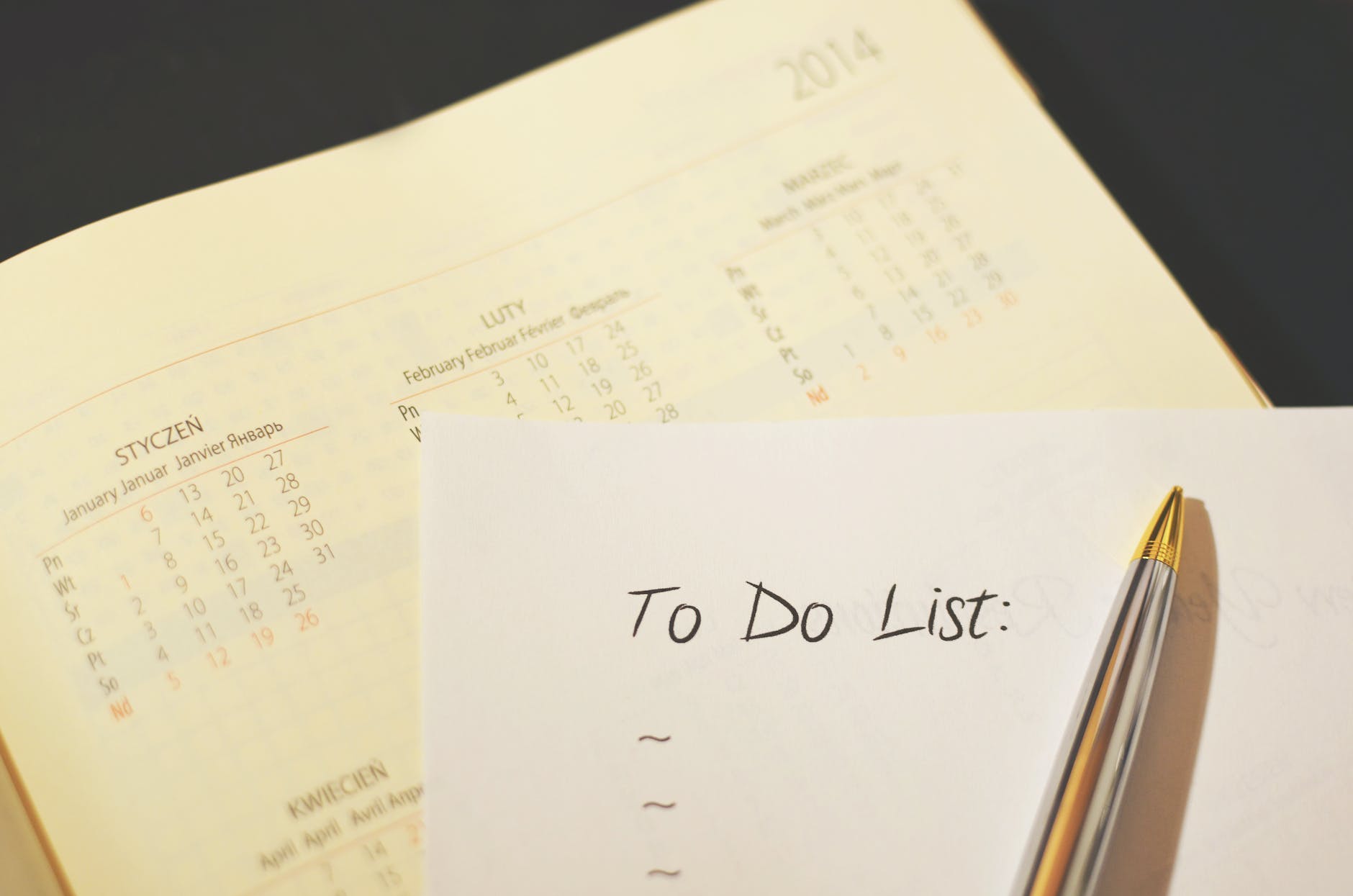
But planning and preparation isn’t just about making your work easier – it can also lead to better outcomes. When you take the time to thoroughly plan and prepare for your projects, you’re more likely to produce higher quality work that truly resonates with your audience.
So, how can you get started with better planning and preparation in your creative work? Here are a few tips to consider to build systems for project, task, and time management:
- Set specific goals.
- Break your goals down into smaller tasks.
- Make a schedule.
- Review and adjust as needed.
🎯 Set Specific Goals
First, setting specific goals is an important step in the planning and preparation process for any creative project. When you have clear, specific goals in mind, it’s easier to create a roadmap for your project and stay focused on what you want to achieve.
There are a few key things to keep in mind when setting goals for your creative projects:
- Be specific: Instead of saying “I want to create a popular video,” try “I want to create a video that has XYZ effect on my viewer” or “earns 10,000 views in 1 month.” Specific goals are more actionable and measurable, which makes them easier to work towards.
- You can set numeric goals, but given the nature of content creation, it’s better to set goals about what impact your content will have on your audience. What do you want them to learn? What action should they take? How will you entertain them?
- For example, in my ocarina content, my goal for each video is to inform my audience about some specific ocarina-related topic, while my goal overall is to help popularize the instrument by improving the experience of new players through information.
- Make your goals attainable: While it’s important to aim high, it’s also important to set goals that are realistic and achievable. If your goals are too ambitious, you may become discouraged if you’re unable to reach them.
- This mainly applies to numeric and metric goals you may set, such as “10,000 views and 500 likes,” but the same idea applies to effect goals too. If you want your audience to become vegan after one video, your video alone probably will fail at changing their behavior
- Make your goals time-bound: Setting a deadline for your goals helps to create a sense of urgency and ensures that you stay on track.
- Consider your audience: Who are you creating for? What do you want them to take away from your project? Your goals should be aligned with your target audience and the value you want to provide for them.
By setting specific, attainable, time-bound goals that consider your audience, you’ll be able to create a clear vision for your creative project and stay focused on what you want to achieve. This will help you stay motivated and on track, and ultimately lead to better outcomes for your work.
Once you’ve set goals, how do you actually manage achieving them?
✅ Break Goals Down to Smaller Tasks
Breaking your goals down into smaller tasks is a helpful strategy for managing the work involved in your videos, streams, or blogs. When you break your goals down into smaller, more manageable chunks, it’s easier to tackle them one at a time and make steady progress towards your overall objectives.
I don’t make a task out of “make a video.” I break it down as far as brainstorming, writing the script, revision, storyboarding, filming, A cut, B roll, B cut, and YouTube stuff like thumbnail and tags. This might be a bit excessive but it’s specific!

Here are a few tips for breaking your goals down into smaller tasks:
- Don’t forget your big picture goal: What do you want to achieve with your project? Make sure your smaller tasks are aligned with this overall goal. Be a goal oriented person who effectively handles tasks, not a task oriented person who loses sight of their goals!
- Identify the steps involved: What do you need to do to achieve your goal? Break these steps down into smaller tasks that can be completed one at a time.
- Prioritize your tasks: Not all tasks are created equal – some may be more important or time-sensitive than others. Prioritize your tasks based on their importance and the resources they require.
- Similarly prioritize tasks that are prerequisites for others. You can’t edit a video if the video hasn’t been recorded yet!
- Estimate the time required for each task: This will help you create a realistic schedule for your project and ensure that you allocate the right amount of time for each task. We’ll go more in depth in the next section!
- Use tools to help you stay organized: There are many tools available to help you stay organized and on track with your tasks, such as to-do lists, project management software, or calendar apps. Find the tool that works best for you and use it to keep track of your progress.
- I use Notion for managing my projects and tasks, then Google Calendar to schedule time to work on it all.
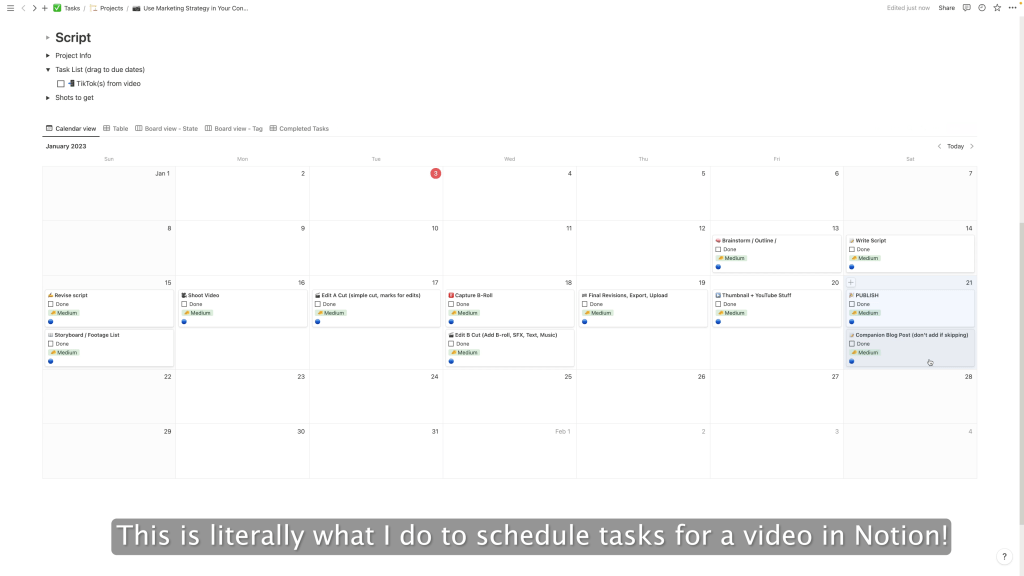

By breaking your goals down into smaller tasks, you’ll be able to stay focused on the work at hand and make steady progress towards your overall objectives. This will help you stay motivated and on track, and ultimately lead to better outcomes for your creative projects.
Once you’ve broken down your goals into smaller tasks and have a rough understanding of the time they’ll take to complete, how do you manage your time?
🗓️ Make a Schedule
A clear, thoughtful schedule helps you allocate your time and resources effectively, ensuring that you stay on track and meet your deadlines.
Here are a few tips for creating an effective schedule for your creative projects (and in general):
- Consider your availability: When do you have time to work on your projects? How much time do you want to spend working on YouTube each week?
- Make sure to allocate enough time to complete your tasks, but also be realistic about what you can realistically accomplish in a given time frame. If you only have 6 hours available per week for YouTube, you’re probably not going to be able to upload daily
- Also, just because you have the time doesn’t mean you’ll have the energy! If you your day job generally leaves you exhausted, scheduling a high-energy stream those nights might not be sustainable.
- Reflect on the deadlines you’ve set and schedule your tasks to meet them!
- Typically, work backwards from the deadline! If you’re planning to stream on a Friday night, when do you need to brainstorm ideas for it? When do you need to announce it? When do you need to prepare everything to go live?
- Block out time for your tasks: Once you know your deadlines and what other priorities to schedule around, use a calendar or scheduling tool to block out specific times for your tasks. This will help you stay focused and avoid distractions.
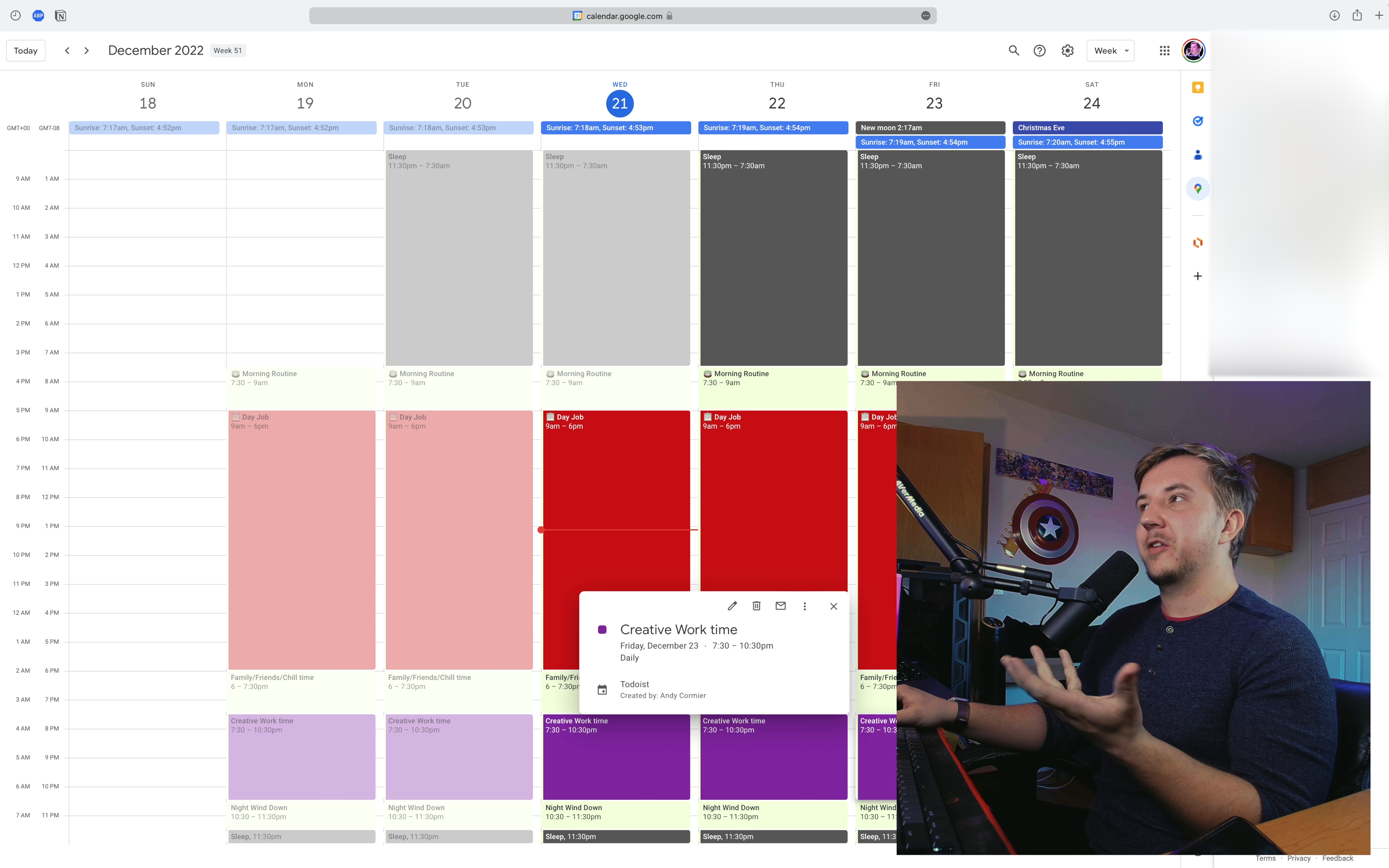
- In order, consider your most precious personal activities, like family time, your morning routine, and anything you value for your health (both mental and physical). Next, block out the time you spend on your work, if you have a day job. Then, mark down any other social commitments you may have such as meals with friends. Last, you can consider time for hobbies and creative work. Don’t let your life fall apart because you prioritized things out of order!
- Let’s make a little example day in Google calendar
- Allow for flexibility: Things don’t always go as planned, so make sure to allow some flexibility in your schedule to accommodate unexpected events or obstacles.
- In my own life, I plan out my week on Mondays in Google Calendar, but there is a 100% chance that the schedule I make gets changed each day because humans aren’t perfect planners! Don’t feel guilty when you need to move tasks around. In fact, make sure you leave some empty space throughout the week to account for delays.
By creating a schedule that takes into account your availability, blocks out time for your tasks, sets deadlines, prioritizes your tasks, and allows for flexibility, you’ll be able to accomplish your creative projects in a timely and efficient manner without sacrificing too much from the rest of your life.
However, even a well-made system might not work for you and may need adjustments.
📝 Review and Adjust as Needed
It’s common for things to evolve or change as you work on them, and sometimes your time, task, and project management systems may need to be adjusted as well. It’s important to be open to pivoting and reviewing your systems as needed to ensure that they work right for you
Here are a few tips for reviewing and adjusting your systems when working on creative tasks:
- Assess your current systems: Take some time to reflect on your current systems and how well they’re working for you. Are you meeting your deadlines? Are you feeling overwhelmed or scattered? Are you producing the results you want? Identifying areas for improvement will help you make informed decisions about what changes to make.
- Experiment with different approaches: Don’t be afraid to try out new approaches or tools to see what works best for you. There are many different time, task, and project management systems available, so it may take some trial and error to find the right fit.
- Seek feedback: It can be helpful to get input from others – whether it’s a colleague, friend, or mentor – about your current systems and how they could be improved.
- Be open to change: Change can be difficult, but sometimes it’s necessary to make improvements. There’s no shame in accepting your system needs improvement!
- Track your progress: As you make changes to your systems, keep track of your progress and monitor how well the changes are working for you. This will help you continue to fine-tune your systems and make adjustments as needed.
In practice, I do a 10-20 minute weekly review where I go over how well I stuck to my plans, what went well, what could be improved, and if the system needs to be adjusted. I also set intentions for what I want to get done the following week. This helps prevent me from getting stale and complacent!
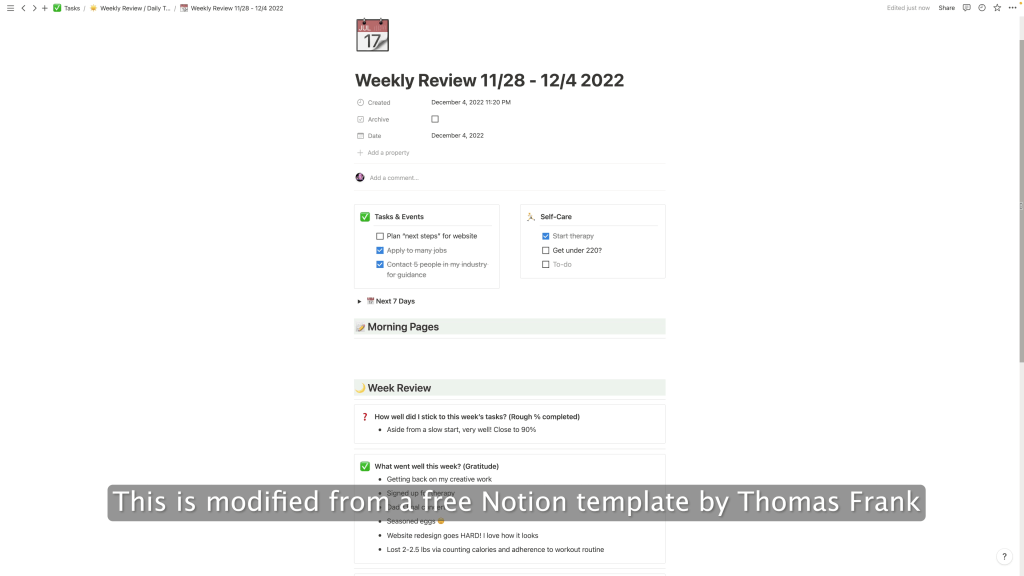
By approaching review and adjustment with an open mind and a willingness to try new techniques, you’ll be able to continually improve your time, task, and project management systems and work more efficiently and effectively on your creative tasks.
In Summary…
No system is perfect at first, but having a system at all to manage your creative tasks will help you get a lot more done!
Start with setting specific goals for your content and channel, then work backwards from there: break them down into smaller tasks, develop a schedule to fit those tasks, and adjust your system to work as best as it can for you
Remember, planning and preparation can seem like an extra step in the creative process, but it’s an important one. By taking the time to carefully plan and prepare for your projects, you’ll be setting yourself up for success and producing your best work yet.
If you’re of the mind to build systems to enhance your creativity, consider checking out my post on how to build a system to optimize your content! You can get a lot more made if you simply make the most of your ideas.
 Andy Cormier