I recently started freelance writing again after a hiatus, and I’m a lot more passionate about it now than when I did it the first time. Why is that?
My First Round of Freelance Writing
I started writing for MakeUseOf in July of 2022, and I applied to write in their section all about Macs, like Apple computers. I am a knowledgeable Mac user, so I pursued this role, but after literally 7 or 8 articles, I ran out of ideas—I’d only been using a Mac for 7 months at that point, and there’s only so much I could think of that hadn’t been covered yet. Other circumstances came up too, so I bowed out but left the door open.
Returning to MakeUseOf
Fast forward to February of this year, and I contacted their HR asking if I could come back but instead write for the Creative section, which entails stuff like photography, audio, video, content creation, things like that, rather than the Mac section.
On the surface, it may appear as though I’m following my passion to pursue writing about things that I enjoy, but it’s more complicated than that. Rather than following my passion, I built my passion, and this ended up being a natural next step.
Building Passion (over Following it)
Many successful people say that following your passion is the best way to have a successful career. I agree with the idea that you should strive to enjoy what you do and pursue work that interests you, but I also believe turning your hobbies and interests into a career is a great way to lose passion for those things. “Love what you do and you’ll never work a day in your life” works for some people, but for many, the reality is that rather than enjoying work, the things you enjoy become work.
As such, I am a proponent of instead building passion for what you do for work, even if you don’t love it at first, rather than following your passion as a career.
I wasn’t passionate about cameras or audio or streaming gear 3 years ago. I bought a camera and learned how to use audio gear to make high-quality YouTube videos, and I became a streaming tech nerd while working at AVerMedia and becoming an expert on their products as well as the competitive landscape of Elgato, Logitech, and other companies.
I got good at these things, and that helped me develop passion for them. Now, these are legitimate skills to apply to my career, and the best part is that I know I enjoy working with these tools and talking about them. With MakeUseOf, it’s a place for me to get paid to talk about things I’ve already built passion for through my career (as well as pre-organize thoughts to make videos on similar topics).
How to Build Passion in Your Career
How can you build passion in your career? Most of what I’m discussing you can read more about in Cal Newport’s book So Good They Can’t Ignore You.
First, realize that the idea of following your passion implies that you’re always missing something—there may always be something that sparks more interest, and if you lose your passion for something, what next? It can make committing to a career path difficult when there is pressure to always feel intensely passionate about what you do.
Instead, bring your passion with you wherever you go and for whatever you do. Commit to improving skills and finding joy in developing that mastery. Sure, not every job or skill is right for you, and you shouldn’t always commit wholeheartedly to something (knowing when to quit is important), but it’s hard to find passion in something if you don’t give it a fair shake.
I don’t play the ocarina because I’m following my passion. I bought one out of curiosity, then developed passion for the instrument because I got good at it after commiting. I didn’t start my career as a niche expert in audio and video as it relates to content creators, but I had to learn at my last job. If I was going to learn anyway, I might as well try to be passionate about it. And guess what, just trying to be passionate about something and commiting to learning and improving it really makes you passionate about it!
The point is, don’t look for your passion with the next shiny new fun thing. Bring your passion wherever you go, and try to be passionate about whatever you do while committing to improve those skills. Cal Newport calls it the craftsman mindset. However, I think he takes too much of a black and white approach in his philosophy. Just because you following your passion is generally bad advice doesn’t mean you shouldn’t pursue work that you do feel passionately about. That said, the point that you should generally be passionate and build passion and skill rather than solely following passion is a message I can get behind.
Follow Your Curiosity
Rather than following your passion, follow your curiosity. Curiosity is lower stakes—you don’t need to love something to be curious about it. The coolest things I’ve ever done have been a result of the curiosity mindset, like playing the ocarina, joining Ocabanda, starting a YouTube channel, or even arranging a successful brand deal with the Smash Bros tournament Genesis 8.
Be curious, and build passion for whatever you do through getting good and really trying to be a passionate person. It’s worked for me in my career and return to freelance writing, and I bet it can work for you.
Many of us have some niche hobby or community we’re a part of. It can feel really cool to be a part of something that most people don’t know about. Are these small hobby groups, like the ocarina community, better off niche?
We’ll use ocarinas and the community surrounding them to illustrate everything in this video, since outside of a few countries, they’re very niche. Let’s discuss.
The Niche Experience—Pros and Cons
On one hand, it can be lonely that this instrument is primarily a hobby that I do by myself. Outside of other community members, I quite literally cannot do it socially, since so few people play the instrument. There are probably at most 10-20 people within a 100 mile radius that play the ocarina somewhat seriously. It can be lonely & isolating to know I can’t mutually disucss ocarinas with the vast majority of people!
On the other hand, whenever I do meet a fellow ocarina player, having this extremely niche hobby in common creates an instant affinity, and it’s so much easier to connect with them. For example, I used to go to a local anime convention called FanimeCon every year from like, 2008 to 2019. From 2012 onward I developed a reputation as the “Ocarina Guy” at the event, since I’d play ocarina in the halls for hours every day. Throughout that time, I met a few ocarina players, and simply having the ocarina in common created an instant connection. Heck, I met David Ramos at Fanime in 2015 and that’s what ultimately led to our friendship and him inviting me to Ocabanda.
When a hobby is niche, it makes connecting over that hobby exceptionally special. It’s like a fun secret society.
…but do we lose that magic if a niche hobby enters mainstream awareness?
What if Ocarinas (or any niche) Became Mainstream?
Let’s define mainstream as more than one third of people would know what your niche hobby is if you brought it up, and unless you live somewhere crazy rural, there is some local infrastructure for that hobby. Think like, ukulele classes, ceramic workshops, painting studios, local choirs and orchestras, things like that. Just about everybody knows what all of those things are, and there are enough participants to develop local hobby or professional communities in most areas.
How would the ocarina community change if it were more mainstream?
First, I wouldn’t have to explain what an ocarina is to everyone who I mention it to. That’d be nice.
Second, it’d be a lot less lonely. Anybody interested in ocarinas could go somewhere local to learn and make face-to-face friends over it. Note I’m not discounting online friends and communities, but even with these, the best times are when you can meet online friends in person. There’d probably be things like ocarina classes, local septets, maybe ocarina making workshops?
Goofballs like this would be even more common!
However, it’d be easier to get lost in a more well-known hobby. There are communities of runners but no running community. There are many people who play the trumpet, but not a trumpet community.
Sure, you’d have an easier time to find others who enjoy the hobby, but if a hobby is too big, you lose that instant connection from simply participating. That said, if I mention to someone I enjoy running and they enjoy running too, that gives us something to talk about and connect on, but it’s nowhere near as special as when I find out somebody plays the ocarina and we connect on that (when there are so few of us).
Regardless, the benefits of mainstream popularity outweigh the drawback of losing the specialness of the niche community. There would be a lot more ocarina makers innovating new ocarina designs, so much more music written for ocarinas, and so many more skilled musicians playing amazing ocarina music, probably even getting featured bits in pop songs (look at Lizzo playing flute on her tracks, an ocarina could do that). Ocarinas might be taught in schools and replace recorders, which considering how much easier it is to get started playing an ocarina, is a huge win.
In a world where ocarinas are mainstream, you might not become an instant friend with someone just because you both play ocarina, but it’s still something in common to build a connection off of. One major goal with my content is to popularize ocarinas by making them more accessible through digestible, educational, yet entertaining content, so clearly, the future I want is one where ocarinas are closer to mainstream!
Mainstream Awareness Doesn’t Mean Everyone Does It
And ocarinas can be mainstream in terms of public knowledge while still remaining a relatively niche hobby! Everyone knows what a piano is, but it’s not like everyone plays piano. Everyone knows what ceramics & pottery are, but very few people actually make them. I’d love a world where everyone knows what an ocarina is, regardless of how many people play them!
What’s your niche hobby? And what would happen if it became more mainstream—do you think it’d improve the community, and would the community lose something if it became popular? Let me know in the comments below.
And if you want to know why ocarinas are so niche, check out my post on that and how we can work to popularize them! Also, check out patreon.com/andycormier for my discord server and bonus content.
Creators can learn a lot from marketers—this especially applies to organization and planning! Today we’ll be discussing content calendars and how you can use them to plan your content out just a bit better.
What is a Content Calendar?
A content calendar is typically a spreadsheet, and as the name suggests, it is a calendar for you to plan out content. The format, specificity, and other details will vary from person to person, but the main thing is that a content calendar is where you plan your content.
The biggest benefits of using one are to get ideas out of your head and to help you plan to get them made! Your brain is for having ideas, not holding them, so the content calendar serves as a place to hold your ideas and decide what to do with them.
Do you just want to make long-form videos? Short-form videos on TikTok or Shorts? Are you going to blog? Will you be posting photos on Instagram sometimes too?
Do you want to be a streamer? If you’ve watched my video on applying the User Journey Model to content, you’ll know if you want to grow, you probably need to be making videos on YouTube or TikTok too.
The first step in building your content calendar is to know which platform or media you’ll be posting on. TikTok? Twitch? YouTube? Instagram? Facebook?
This step is determining your identity as a creator. That sounds like high stakes, but it’s not that deep—just consider if you want to primarily be known as a streamer, a YouTuber, a TikTokker, an Instagrammer, and so on, as that will be the core of your strategy.
In my case, I mainly post longform YouTube videos, but I also cut videos down to post onto TikTok and Shorts, and I occasionally stream on Twitch. My media are YouTube videos, shortform videos on TikTok and Shorts, and streams. I am mainly a YouTuber.
What are your content media, and which is your primary focus?
Making the Calendar
Don’t actually make a calendar from scratch… at first. There are so many great, free templates you can download. This is a good one from HubSpot which you can modify, though you’ll need to give some information. https://offers.hubspot.com/social-media-content-calendar
I have an area for monthly notes/goals, then 3 columns to list content or daily notes, and I have this for every single month on 1 sheet. I like the HubSpot calendar, but I’d rather have to refresh the calendar once a year rather than every month.
Next, what goes on it? Basically, I think up what content I plan on posting any given day and put it on the calendar! I bold anything I haven’t made yet so it’s more visible, then once I have completelty finished a post (IE. Uploaded, thumbnail made, tags, and scheduled on YouTube), I un-bold it.
I also use the content calendar as a reference for my project and task managament using Notion, but we won’t get into that here. What matters most now is the calendar. I have a template in the description, and you should modify it to suit your needs and content!
Find Your Cadence
Once you know your media and have a calendar ready, know your limits. Considering how much time you have to work on creativity, and figure out a posting frequency, or cadence, that works for that. If you have a full time job or have other major responsibilities, you might not have as much time as you hope.
In my life, I am writing as a freelancer for MakeUseOf, building a freelance social media and video business, hunting for a full-time job, and creating content. If I fully optimized my schedule I could probably post 3-5 longform scripted videos per week and a TikTok every day in my current style, but no matter how optimized you are, life isn’t optimized and things come up!
Don’t plan as if you’ll be at 100% efficienct every day. Plan for 70-80% of what you can do so that you have wiggle room for other projects and surprises from life. Thus, 70% of 3-5 longform videos per week and daily TikToks could be 2-3 scripted videos and daily TikToks or 4-5 videos and no TikToks, or even 3-4 unscripted vlogs and daily tiktoks. I generally opt for 2 scripted videos per week and daily TikToks, though I’m behind as of writing this, and I have plenty of time for surprises and to get my freelance work done. When I have extra time, that’s when I fit in extra videos or streams!
The point is, even if your 100% can produce a certain amount of content, no one is 100% every day—life always has its surprises, and it’s better to optimize for sustainability. Set your posting cadence at a 70-80% achievable standard and overachieve when you have extra time & energy. You probably won’t have a perfect cadence right away! Take some trial and error to get it right as you develop a sustainable output.
To illustrate in the calendar, I usually pre-set videos on Wednesdays and Saturdays, then fill in other columns for shortform content, streams, and Patreon posts as they’re done and less strictly.
Managing Content, Projects, and Yourself
With a cadence set, this is when we get to making content.
Set Content Clusters
Marketers will set campaigns for their content on social media, but I recommend thinking of content clusters rather than campaigns in most cases. Content clusters are when you make content within similar themes so that you have more similar videos for the algorithm to recommend to viewers over time. My clusters are ocarinas, marketing for creators, and creative tech, and I have plenty of content in each.
As it relates to my cadence, I post to my primary cluster, ocarinas, for 1 of my 2 videos per week, then the other video will relate to one or both of my other clusters.
Work Backwards from Publication
As you schedule videos on your calendar, consider how long it takes to make each video and work backwards for when to start working! If you know you generally take ~2 hours to write a video, ~1 hour to revise the script, ~2 hours to shoot a video, ~4 hours to edit, and another ~1 hour to make a thumbnail and handle YouTube upload stuff, that’s 10 hours of work to account for.
If you’re publishing the video on a Friday, consider the amount of time you have available beforehand, then plan accordingly. You will get better at making videos, so you’ll probably take less time as you improve as well.
Consider Batching Work
I am testing out a batching strategy to be more efficient making my content. Monday and Tuesday are writing days, Wednesday and Thursday are shooting and first-cut editing days, and Friday and Saturday are B-cut, export, and upload days. Batching is a great way to stack similar tasks so it’s easier to focus, but you’ll need a longer runway before each upload if you only do certain tasks on certain days.
One week in, I indeed am getting more done in less time!
Rescheduling is FINE
With all this considered, give yourself grace, and be fine with rescheduling. Even when you work at 70% capacity with plenty of slack, life can come at you at 200% and make you fall behind. It’s okay to miss uploads, even if it’s premium content on Patreon. If your system usually works, trust it. Keep batching work and scheduling content as normal, and forgive yourself when life gets in the way.
I will often get in an amazing creative groove for like, 3-4 weeks, developing a huge backlog of content and feeling great about myself and my productivity. Then, between feeling complacent because I have a backlog and curveballs from life, I often fall behind within a couple weeks. From that, I start to judge myself for not living up to my standards and systems, feel bad about it, then fall even farther behind. The point is, judging yourself for falling behind doesn’t help at all. If you fall behind, simply think “oh well” then take one step to get back on it or just accept you need a little break.
I have so many projects I keep pushing back week after week on my calendar because of a myriad of reasons, and it’s okay! Some projects need more time to develop, and sometimes you need to take care of yourself before you take care of your content. Yes, be diligent, develop systems, and have some discipline to work even when you don’t feel like it, but be sustainable, take breaks, and recognize that systems like calendars are imperfect, machine-like models to help us organize work, but ultimately we are human and that life can be inconsistent and disorganized.
In Summary…
Figure out what kind of content you want to make. Find/make a calendar. Set a posting cadence that’s realistic for your time & energy. Set content clusters to focus on, plan your work backward from publication dates, consider batching work for efficiency, and give yourself the grace to be okay with rescheduling and falling behind at times.
A content calendar is an extremely useful system to help you plan your creative work, but remember you’re a person who makes content, not a content creation machine. As you make content and plan your calendar, continually adjust it and other project management tools to work better for you. Maybe you were too optimistic with your cadence, maybe you’ll get faster at editing, maybe batching will get you so far ahead on work you can actually do more.
Be disciplined, be diligent, and be consistent, but be flexible and human.
I quit social media for a month… as someone who does social media management.
Why did I do it?
How did it go?
What are my plans for using social media in the future?
Digital Minimalism
We’ll start with WHY I got off social media. I started reading the book Digital Minimalism by Cal Newport, here’s a quick summary of what it recommends:
30 days, cut out most unnecessary social media to spend time on more meaningful activities and engage in deeper socialization (calls, meeting IRL, etc)
Develop specific plan for re-implementing usage of social media after those 30 days are up so you don’t go back to the way your life was before, IE. only check Twitter on Wednesday and Saturday in the evening
Take regular breaks from technology after—IE. occasional no-phone weekends, etc.
I don’t agree with everything he says in the book—it’s not realistic for most people today considering how digital the world and business are. However, I do agree that spending less time on social media and being more intentional with how we use it and other digital tools is a good thing, so I did the detox!
Why: Time and energy to do the things I want to do
What I did
No Twitter, IG, TikTok or Reddit unless I needed to research for a job interview or other work
Use Buffer to post to Twitter throughout
Can use TikTok to upload / research people I’m interested in collabbing with
How it went
Given so much of my life is digital, at first I definitely felt like I was missing out, stuff like seeing my friends Tweets, things like that. But I realized most of that didn’t matter—in Digital Minimalism, Cal Newport talks about how low-grade interactions on social media make you feel like you have a relationship with a person, and to a degree, you are, but it’s a very shallow level of connection. Liking somebody’s IG post and commenting on it isn’t the same degree of connection as messaging them, which generally isn’t the same degree as calling them, which is still less deep than seeing them in-person.
And yet, the low-grade connectivity social media provides stops us from doing deeper communication—if we feel like we’re caught up enough with someone’s life because we watched their IG story, why contact them?
This isn’t to say I suddenly started contacting all my friends right away, that’s February’s challenge video on rekindling old friendships, but given how shallow social media interaction is, a month off of it really didn’t feel like I was losing much. I still had Discord, texting, and messenger to contact people without wasting my day on Twitter and Instagram.
With all this time not using social media, my mental health definitely improved—not seeing constant negative news, influencer drama, comparing myself to other people—and I was stil informed by occasionally watching the news and creators like Phillip DeFranco to see what’s going on—watching a 15 minute video is a much more efficient way to stay informed than checking Twitter for 3 hours a day.
That said, I was only a little bit more social/productive than before.
In my first week, I was motivated and excited, so I went ham making videos for YouTube, 6 in one week. However, since I make YouTube content and treat consuming it more like TV than I do social media, I didn’t forbid myself from using it. Thus, I inevitably still spent too much time on YouTube, though less than the previous month & spent too much time going back and forth between apps I didn’t actually check. The mindless app checking went down with time!
What’s Next with my Social Media?
Use social media less
Set specific times when I can use it
Focus on connecting with people beyond just engaging with social posts
I haven’t set these specific rules yet, and the mindless social media checking is starting to come back. Over the next few days, I’ll workshop rules that are specific and restricted but practical in that my career is online and I can’t escape that. I definitely don’t need to check Twitter every day, and I could spend less time watcing YouTube.
However, given I work in social media for my career, the bigger thing is being able to approach these platforms with intentionality. When I get my next social media job, I’ll have to spend a lot of time on social media! Thus, I have some realistic ground rules social media people can apply!
1. Social media checking is NOT productivity
It may be a job function for your social media manager role, and it can feel productive to constantly check social for posts and messages to respond to, but if you wait an hour those posts and messages will still be there.
2. Notifications will still be there whether you check them now or later
I reiterate this point! Notifications want your attention now, but they’ll still be there later. You’ll be more productive if you can clear 20 notifications in 15 minutes once an hour than spending an hour continuously on social media and clearing 1 notification per 3 minutes. Batch your notification checking!
Instead of checking social media several times an hour, maybe use a pomodoro timer for focused work, then check it for a few minutes on focus breaks. Maybe set specific times in the day to check notifications and messages. Nobody expects instant responses from most brands, so you shouldn’t overly pressure yourself to do so!
I’m a fan of setting aside either 5-15 minutes per hour (IE. 50 minutes of work, 10 minitec checking & responding) or 15-30 minutes per two hours (IE. 90 minutes of work, 30 minutes checking & responding)
4. Disable all notifications for social apps on your phone (and most other apps too)
You’re going to check these once every hour or two in the apps You don’t need to be reminded to do so while you’re trying to focus. In my 2 years managing AVerMedia’s social media, we never had an emergency that couldn’t have waited a bit. Granted, I didn’t wait, but my obsessive checking of notifications was unproductive and unhealthy, andreason for making this video is so that I won’t be like that again!
5. Set boundaries—don’t check work socials outside work hours
I always had my last job’s social media pages in open tabs all day. It was atrocious for work-life balance, because even while doing my own thing outside work hours, my obsessive notification checking mind never wanted to miss anything. That resulted in, on top of checking social notifications way too much during work, doing the same outside work. Sometimes social media managers need to do checks at abnormal hours, but those shouldn’t ba a normal thing to do!
Set boundaries, and have a life outside social media. It’s my job, and it’s something I can enjoy using personally, but it’s dangerous to mix the job function with the personal enjoyment function. Set boundaries!
6. Set an intention whenever using social media
Mindless browsing is the mental health and productivity killer. During my detox, I started working on building a freelance marketing business, and I set the intention to research a particular business’s social media presence, only did that, and didn’t get sucked down the rabbit hole.
Set an intention like, “I will clear messages and notifications” or “I will research this hashtag” or “I will mindlessly browse for 15 minutes and enjoy it, then stop when my timer goes off”
This is the key that holds everything else together! Social media can be productively used with limits and intentions. Setting specific times to check and disabling notifications stops unintentional usage. Boundaries and intentionality are hard, but they can get you all the upsides while eliminating most downsides!
Final Thoughts
How do you use social media? You don’t need to go to the extremes of a Digital Detox to be more intentional with how you use it. And frankly, the people that benefit most from this are social media managers.
Whether you work in social media or not, everyone can benefit with using it more intentionally!
Have you ever applied for a brand deal, see you tick all the brand’s boxes, then get sent an email saying, in short, “thanks, but no?” It sucks when brand deals are exclusive, but why though?
Brand Deals as Marketing
For many companies, brand deals are a function profit… investing $X in creators provides $Y profit. Look at the heaps of infinitely scalable digital products like VPNs or tangible products with (presumably) crazy profit margins like Manscaped—they sponsor a ton of creators.
Many other companies, however, are much more exclusive. Things like Elgato or Logitech partnership fall into this category, and when I managed the partnership program at AVerMedia, we were very exclusive. There were easily hundreds of applicants for partnership, but we only selected ~5-10 once or twice a year.
The point is, even when brand deals are generally profitable for companies, they can be extremely exclusive to earn. Let’s delve into why!
Limited Budget / Units
Especially in companies that produce more expensive products with thinner profit margins, they have to be more choosy with their brand deals. Oftentimes, companies will send sample units of their product to a creator during negotiations before the creator agrees to advertise it—it’s actually against FTC guidelines to promote products you don’t believe in, at least not believing in what the company has you say.
If products are expensive or if they simply have limited units available for marketing, companies simply have to be choosier over who they work with. Companies like Elgato let the creators come to them with their partnership program.
Creators submit an application, and if they’re chosen for partnership, the company puts together a care package balanced between products they want to promote and products that would genuinely help the creator. These companies definitely also contact creators to ask them to partner in some cases, but the point is, this bypasses the product testing issue because the creator is opting themselves in before ever getting the products. This requires a bit more effort on the company’s end, but you’ve got a good chance to get creators who already would vouch for the products.
I don’t know how many partners Elgato pays for their promotion, but in my experience working for their competitor, many creators in these types of partnership programs may, in a vague, non NDA-breaching way, be happy getting useful hardware, getting a say in what products get made, and early access to these products. The point is, partnership programs with a pull approach, in that the creators must contact the company, can really help when budgets or hardware units are limited.
Timing
Aside from the companies that primarily market through creators (IE. Vessi, Raid Shadow Legends, VPNs, Nebula, etc), companies generally work with creators when there are particular campaigns or product launches. If it’s a slow season, the timing simply might not be right, and thus their existing partnerships or sponsorships simply may be shut off. If you’re actually the perfect creator for a particular brand partnership and they say no, it’s either a timing or budget issue!
Relationships Aren’t Scalable
Notice a difference in verbiage between “sponsorship” and “partnership.” Sponsorship is more or less exchanging money for advertising, while partnerships are more of a long-term relationship. The most exclusive programs are almost entirely partnerships. In high-quality partnerships, the relationship between company and creator is vital. You can make up a lot in marketing budget and huge paid activations when you provide products the creators want and spend a lot of time showing you care. I’m still friends with a lot of the creators I worked with form my last job, and that’s because I care!
When I visited a creator I worked with, Mekel Casanova
On top of that, to scale relationship building, you generally need to hire more people to manage them. Yes there are tools to help scale these kinds of things and manage relationships better, but there is simply a limit to one person’s ability to form real connections with people. If budgets are limited such that a company needs to be choosy with who gets their products, they probably don’t have the budget to hire more marketing people. I’ve seen so many horror stories of creators working with company representatives who simply don’t seem to care, even in “billboard” brand deals (IE. a sponsorship where there’s minimal relationship and you’re simply paid for an ad read), and as someone in the industry, that rep is probably overworked communicating with way too many creators and literally cannot give all their attention when any particular creator needs it. Relationships aren’t scalable!
On that note, it goes both ways. In my last role, if someone had huge numbers but didn’t put any effort into their partnership application, they wouldn’t be considered. How could we guarantee they’d be the type of creator we even want to represent the brand? And every one person we say yes to, there’s many more we’re rejecting—we didn’t just pick the people who were a “yes,” but also the creators so unique, communicative, and skilled that they were impossible to say no too. Relationships go both ways, and if I’m putting in the effort to maintain relationships and connect with partnered creators, I’m hoping those creators will connect with me too.
The point is, relationships require real connection, which simply requires a human touch. Not only do companies need to do their due diligence to pick the right people to have that connection with the company, but maintaining said relationships takes a lot of effort! Even if a company has unlimited money and products to send, relationships matter, and there’s a limit to what even an employee with the best relationship management systems can healthily maintain.
Highly Curated Branding
On that note of relationships, companies may also limit the amount of creators they work with so that they can maintain a certain branding or perception. Luxury brands wouldn’t seem luxurious if they sponsor hundreds of people on a monthly basis and lose their apparent exclusivity. Even if exclusivity isn’t the issue, companies may have narrow definitions of who is a good “brand fit.” Apple has the resources to sponsor as many creators as they’d like, but I think I’ve only ever seen them send hardware to reviewers, and even then it’s only the top few.
Companies like Logitech or Elgato are largely the same, and it isn’t even just “luxury.” If Logitech released a mic they advertise as “for podcasters,” even if you’d be a great fit to promote it for a different use case, they’d probably only work with, well, podcasters. If it’s “for everyone” it’s for no one. Even if something has many use cases, like a mic, brands curate their branding so it’s for someone (instead of no one).
How to Get Picked
Acknowledge what’s out of your control, like timing or branding limitations, but focus on whaty you can do! Make better content, be more communicative, understand how your content fits into the business of brands you want to work with, and become so good they can’tmiss the opportunity of working with you.
I’d recommend reading more articles from my for creators page as well to start learning those skills!
What did you do on January 16th last year? Just give me one thing. Yes, you can check your notes—which is the whole point of this post.
By the way, here’s what I did on January 16th:
Played DND, my DM tried and failed to kill my character, who was a gnome monk parodying Jeff Bezos
Had a date night at a Japanese restaurant with my girlfriend
Planned a hike that we didn’t end up going on
I didn’t remember any of this off the top of my head, but I had it written down in my journal.
This Isn’t Just About Journaling
Journaling is great, but it isn’t a one-size-fits-all solution. It’s great for processing thoughts and feelings, but journaling to process isn’t sustainable to do every day for most people. Instead, I have a few low (or no) friction practices to help remember your life!
Today’s whole concept falls a bit under the idea of a “Second Brain” as discussed in Tiago Forte’s book, Building a Second Brain. The book is about organizing your knowledge and memories in a digital archive and progressively summarizing things to make more useful, digestible notes stored outside your brain for easy reference. Basically, you want to think of yourself as a “giver of notes” to your future self rather than just a taker of notes.
Forte’s book is primarily oriented towards knowledge workers who wrangle lots of information on a daily basis, but every person can be a bit more intentional in recording their life for future reference! It’s not about remembering everything in your head, but rather creating many different ways you can cue yourself to jog your memory. Think of when you look at a high school yearbook years later and have a flood of memories—we’re doing that but for you and your life.
One Line a Day Journaling
The first and arguably my favorite low-friction memory practice is the One Line A Dayjournal. I used it for about 7 or 8 months last year, with a current streak of around 190 days logging a very short summary of what happened during the day.
Each page has 5 segments, so the idea is you keep this journal for 5 years. I typically write a 1-sentence summary then list what I’m grateful for, like the following (intentionally vague) kind of entry below:
“Lots of writing today! Grateful for actually waking up before 8, landing job interviews, sticking with my diet, my cats cuddling cutely, and leftover spaghetti.”
I don’t actively read through it, but the magic starts to happen when you get into your 2nd year. You get to see all the entries you wrote for the previous year and get a little summary of what you did and how you felt that day.
This journal literally takes me about 90 seconds a day to do right before I go to bed, and get this—going through the events of the day helps you fall asleep, so the 90 seconds I spend journaling helps me sleep too!
But had you asked me about this prior to a few weeks ago, I’d just say the sleep benefit was nice, but now that I’ve been doing it since 2022, it’s so cool seeing the entries from last year each day, even in February when half of my entries are just like “There is only Elden Ring.” I’m so grateful to past Andy for helping me remember in this journal.
Digital Journaling is Fine!
Journaling doesn’t have to be physical on a notebook!
My journals for my workout log and my digital detox are literally just a Google sheet with text wrapping enabled. I leave the tabs open and write in them when relevant. My weekly review journal is a Notion template. I occasionally do spontaneous micro journaling in the Apple Notes app.
Tactile journaling does hit different, but a lot of things are FINE to be digital. It’s better to journal at ALL than to require it to be some perfect, romanticized experience. The important thing is having a dialogue with yourself to feel your feelings and process your thoughts or just provide cues for future you to remember. If you find it’s easiest to journal with the Notes app, Notion, or even a spreadsheet, more power to you.
Take Contextual Photos
Almost everybody is carrying a camera with them at all times. And that camera has a lot of fun ways to help you remember things (it’s your phone). One of my favorite features of the iPhone is how it makes little slideshows out of your photos and videos to commemorate “this day last year” or “furry friends” or “Tokyo across the years.” I don’t go through my photos on a daily basis, but it’s nice to see the things I chose to capture over the years.
But this is about being intentional—what do I mean by “Contextual Photos?”
Your phone automatically takes a lot of context whenever you shoot a photo, like location, time, and date. Obviously you can take selfies on a date night or photos of a landscape, but I think it’s important to combine the context of yourself and your setting for these! Photos help provide context for your memories.
I take so many photos that I’ll never post of things I want to remember (or send to my girlfriend), like a selfie on a nice walk, a wide-angle photo of an outing with friends, or a little shot of something I cooked. I treat these photos rather ephemerally in that I often take them and neither post them nor look at them with any regularity, but creating a backlog of little memories ties in so nicely with the memory slideshows my phone makes or to stumble upon when I occasionally look at photos.
These don’t need to be perfect photos either! Lots of people say the obsession with capturing the moment takes you out of it, so make capturing the moment so quick no one even notices you doing it. I like to use the wide-angle lens on my phone to really fit the whole context and not sweat the framing. Quick and unintrusive!
On that note, if it isn’t intrusive and doesn’t take you out of the moment, short videos are also great ways to get the full audio context in addition to video—what did that restaurant sound like? Who all was at your table (who might not fit into the frame of a single photo)? Literally a 5 second video panning across the table is enough, and you can even get most of this benefit with Live Photos on iPhone.
I only recommend video because I take so many photos that I wish I had more videos to look back on too, but you can get started taking occasional, quick, unintrusive photos to commemorate things, whether mundane or special.
This isn’t a recommendation to take a photo of everything you see and do and experience, but a reminder that you have the means to capture any moment you feel is worth recording at any time. Whether you ever post these is up to you, since things like Snapchat and Instagram stories can also be a memory database, but I don’t really feel the need to share everything when the main goal is to help me remember.
Google Maps Timelines
The metadata on your photos isn’t the only way to remember where you’ve been in a GPS sense!
Google Maps has a timeline function that tracks everywhere you go. It’s a little dystopian, and you can disable it, but I enjoy having it on. I can go back to like, January 12th 2020 and see roughly where I was and get a reminder of what I did.
I was in Japan on a study abroad program, and it’s cool to get a little snippet of that, which I can then reference with any photos or videos I took for a multi-faceted, zero-friction memory bank. Even if I totally forget what I did on a particular day, I can usually piece it together between Google Maps’ Timeline, looking through photos or old social media post and even my internet browsing history.
You might not want Google knowing where you are and where you’ve been at all times, but it’s a fun feature nevertheless if you choose to use it. In particular, I can go through my timeline and know exactly when my girlfriend and I have been on dates. Like, we didn’t take any photos on our first few dates, so we both forgot what exact day our very first date was at one point. However, thanks to Google Maps’ Timeline, I can see the exact date.
Not Everything is Worth Remembering
…but building a low-friction practice of capturing memories will make you that much more prepared to remember the big things or even just piece together what you did on a particular day. And who knows…
Maybe what feels like little things now will end up becoming the memories you treasure most.
Try shortform journaling. Don’t sweat journaling digitally if needed. Take short, unintrusive photos and videos frequently. Use technology to remember for you.
Delegating some memory to a journal or device doesn’t mean those memories matter any less. In fact, taking the time to record those memories will help you remember them more, and you get something tangible to look back on.
If you want more videos erring on philosophical, watch a video that literally puts this advice to practice! I went to Ireland to visit my brother last August, and I recorded thoughts on a life-change book I was reading at the time, 4,000 Weeks by Oliver Burkeman (read my summary/review of the book as well).
Today we’ll be discussing how you can use a powerful concept in marketing, the 5 Step User Journey, to improve your creative strategy, grow your community, and get your content closer to a career!
The User Journey is a marketing model used to help map a comprehensive strategy beyond just a buyer’s decision to purchase. It serves as a helpful reminder that you’re not just advertising to drive awareness, but what that awareness should lead to and what happens after a purchase and so on. This is one of my favorite models to reference in my career, but I realize it’s particularly useful for creators in developing their content strategy!
First off, bear with me—even though this describes customer behavior in business, we can apply the model in an almost identical way to you and your content. Just replace “customers” with “audience” and “business” with “content”—audience behavior in content.
We’ll go over each step and to make it relevant to you, use a creator who primarily makes YouTube content as the example for each step!
Also, rememeber models are approximations of reality—they’re not perfect, but they help us understand and predict things. That said, they’re better than nothing—let’s begin.
1. Awareness
First comes awareness—you can’t buy a product you don’t know about.
This is when a customer first finds out about a product or service, or in the case of your content, someone first finds out about you.
The customer doesn’t need to buy the product or even think about buying it, just like a potential viewer doesn’t even need to think about clicking on your video, they simply see it exists.
Application to YouTube:
Awareness: Someone sees your video, whether via search, the algorithm, or via seeing you in a collaboration with someone they already watch
Creators can optimize for this with their titles and thumbnails, as well as building relationships with other creators or using higher-visibility media like Shorts or TikToks to supplement. In short, anything that makes someone more likely to click on your video or otherwise find out about you.
This is when a customer, as per the name, considers making a purchase. With your content, this stage is the time between discovering you exist and hitting the subscribe or follow button.
Application to YouTube:
Consideration: Someone watches on your video and considers subscribing
Creators can optimize for this by improving their content and creating “clusters” of content the algorithm can use to help recommend more of your videos after someone watches one. This can range from the time between watching one video and subscribing if you’re lucky or when viewers may start actively seeking out more of your content while still undecided on subscribing.
IE. I have many ocarina-related videos. Someone who watches one is more inclined to watch more, so if I have more, the algorithm will likely promote them to this viewer.
3. Purchase / Conversion
As you might think, the purchase step is when a transaction happens.
A customer buys a product in business, but in content, this is conversion from a stranger to a follower or casual fan. We’ll call this conversion for content because this step of hitting the subscribe/follow button is generally not a purchase, but is a transaction of continued attention in order to watch more of your content.
The time it takes to go from awareness to purchase or conversion can vary wildly. It may range from a few seconds (IE. seeing a new candy bar at the grocery store checkout) to a near indefinitely long time (IE. needing a new camera, spending weeks researching options, saving up money for months, then buying it).
The same can go for your content! Someone may stumble upon your TikTok and follow you immediately, while someone else may see you collab with a creator they follow, be vaguely aware of you and your content, watch a few videos of yours, then eventually follow you after finally clicking on a video that wows them.
Application to YouTube:
Conversion: Someone likes/subscribes, converts from stranger to casual fan
Creators can optimize this with calls to action, or making content so good that viewers feel they must subscribe—look at people like Defunctland who make full-fledged documentaries and have ballooned in growth.
Basically, shorten the length of consideration by making conversion more worthwhile—be so good they can’t ignore you. This is the step most creators stop at—YouTubers improve their content to gain more subscribers, but what do you do to serve the people who are already subscribed (beyond creating more content).
Also note your standard for a “conversion” could range from clicking on a video at all to subscribing to your content to buying merch—but for our model, we’ll consider subscribing/following as that major decision point!
4. Retention
Retention is about keeping a customer coming back for more.
It doesn’t necessarily have to be further purchases (though return business is the best form of retention), but it necessitates continual engagement with the business, like reading the company blog, watching tutorials, and the like.
In content, retention is more about your community building and giving your followers additional ways to engage with you, your content, and each other. Continually making more content is also a retention strategy, albeit the baseline—they can’t come back if there’s nothing to come back to—but we’ll cover more direct community building approaches.
Application to YouTube:
Retention: Discord server, streams, Patreon, email newsletter, Twitter follow, YouTube membership—the casual fan joins your community
This is anything that moves someone beyond casual viewing of your content (most subscribers are casual viewers)—viewers not just invested in your content, but in you as a creator (try not to set unrealistic parasocial expectations).
Optimize this by doing things to foster community with your content. Most YouTube creators never consider this step. It’s fair to focus primarily on your content, but remember that every metric is driven by people watching your content.
You can simply accept you entertain or educate a certain number of people (again, continually making good content is part of your retention strategy), but you’re also missing out on fostering a real community out of that. When I say most creators never consider this step, they do a lot of surface level things, like asking for Twitter follows, but it’s also about giving something back to your community. Engage with your fans on Twitter or a Discord server, provide exclusive extra content on Patreon or an email newsletter, or otherwise do something to allow fans to participate in a community beyond the YouTube comment section.
What you give to your community, you often get back.
5. Advocacy
Advocacy is when a customer goes forth and, well, advocates for a product or service.
This can be good reviews, telling friends or family, posting on social media, or anything of that sort. For your content, it’s similar in the sense of sharing and telling others about your content, but for the sake of this approximate model, we’ll also consider any additional way viewers can support you beyond typical engagement (IE. liking and commenting—they’re definitely already subscribed by this point).
The main takeaway is that advocacy leads back to awareness. If your customers or audience are recommending your product or content, they’re marketing for you—you’ve built a perpetual growth machine. The user journey is a cycle.
Application to YouTube:
Advocacy: Your audience sharing your content, actively participating in community things like streams or your Discord server, or giving you some level of additional support beyond the norm, like buying merch, attending a meet and greet, buying through your sponsors, or some other financial support.
At this stage, your audience not only enjoys your content, not only participates in your community, but also avidly supports you. Only a small percent of your subscribers reach this point (just like only a small % of you are subscribed now), but I’d wager anyone can make a career off 1,000 advocates, just as Kevin Kelley describes in his essay 1,000 True Fans.
A thousand customers is a whole lot more feasible to aim for than a million fans. Millions of paying fans is not a realistic goal to shoot for, especially when you are starting out. But a thousand fans is doable. You might even be able to remember a thousand names. If you added one new true fan per day, it’d only take a few years to gain a thousand.
If you have 1,000 supporters who pay $5 per month on Patreon, who buy your merch when it drops, or even who simply share your content when it comes out, you’ve made it—at least when you consider you still have ad revenue and sponsorships in addition to these. Then, advocacy builds awareness to repeat the cycle! Obviously it’s not a “get rich” level of income, but it can be enough to have a real, tangible career off of content.
⚠️ AUDIENCES! If you reach the advocacy stage, be careful of creators who promote scams. As we’ve seen with Coffeezilla’s exposé on Logan Paul’s numerous crypto schemes, people bought into those things because they believed in him.
Any time you want to financially support a creator, make sure it’s something reasonable and that expectations are clear (IE. you know you won’t get a donation back, etc). If you feel suspicious about it, don’t do it. Knowing you’ll lose $60 buying merch is one thing, but if you think you’ll become a millionaire with their crypto scheme, don’t do it.
While I recommend that creators treat their content more like a business, businesses run by creators still deserve the scrutiny you’d apply to a more corporate operation! Just because a business is run by your favorite YouTuber doesn’t mean that business is infallible.
What About for Twitch Streaming or TikTok?
Most creators miss a step or two, and the exact steps they miss depend on the platform they create on. YouTuber content generally serves Awareness through Conversion well, but, ironically, streamers are much better with the retention and advocacy steps than YouTubers, but they miss the awareness. In general, people only watch streams after discovering someone from their content elsewhere. I don’t think I’ve ever browsed Twitch. I’ve found people on YouTube, then started watching their stream, but never found someone on Twitch.
Thus, in most cases, streaming alone neglects the awareness step of the user journey. As someone who’s done numerous brand deals and partnerships with streamers in my career, their greatest strength is their ability to foster a community, the retention and advocacy steps, but many of them have relatively stagnant growth, since they don’t do much to drive awareness other than when their advocates share them.
If you have 10,000 followers and 50 of them are hardcore advocates, you might reach 50 new people a month without collabs if you only stream… and you’ll probably lose followers each month as well. Ironically the best way to grow as a streamer is not to stream—make videos on TikTok and YouTube that funnel to your stream. The point is, streaming alone lacks the growth in awareness.
With TikTok, you get the best Awareness opportunity by far, but given how bite-sized content on TikTok is, it’s extremely difficult to get beyond someone just hitting “Follow.” TikTok has so many great tools to engage with other creators to help drive more awareness and grow your audience, but it’s not great for deeper community building.
How to Fully Develop Your User Journey
Many creators, whether on YouTube, Twitch, or TikTok, have incomplete user journey maps. Sometimes, the best user journey will span multiple platforms!
Here are notes on a comprehensive user journey strategy for a creator! You should hit every step on this in some way, or you won’t get the positive feedback loop of growth.
Awareness
Post to TikTok, Shorts, and Reels for broader awareness
Focus on improving your titles and thumbnails—clickbait is fine if it’s true!
Build relationships with other creators to be seen in other content, driving much higher quality awareness
Consideration
If someone sees yout thumbnail and title multiple times, will they be more or less likely to click on it?
I often see a thumbnail for a video I’m interested in, note it, then try to find it later if it really sparks my interest when I have time—this is consideration at work!
Focus on improving your content so that people enjoy it
If your content sucks, they won’t move on to the next stage
Conversion
Make sure your content is good enough to warrant liking, subscribing, or following
Consider calls to action to remind people to do so—people who stumble upon good content forget even if they love what you’ve made
Don’t let this be the final step
Retention
BASELINE: Continue creating content for your community to come back to. Otherwise the following won’t really matter.
Give your viewers ways to engage with you other than the comment section and ways to support you other than liking and subscribing
Make an email newsletter, a Discord server, a Patreon, etc. and encourage people to check it out!
Let your audience know they can reach you on Twitter or a stream, if relevant
Whatever you ask your audience to engage with should be worthwhile. A dead Discord is pointless. Why follow you on Twitter if you only post to promote your stuff? Be true to the advertised perks on Patreon. If you don’t have the time to devote to these things, nothing is better than something disappointing.
You can maintain boundaries while still engaging with your community — IE. you only respond to stream chat, you don’t check Twitter DMs, you only let your audience know how to reach you if they join your newsletter or Patreon, etc.
You don’t need to give your audience full access to your life, and you’re never obligated to give more than you want—but giving back a bit is what drives retention and fuels advocacy.
Advocacy
If you’ve built a solid community through retention strategies, you should have some advocates!
Give them opportunities to further support you, like encouraging them to share videos, releasing (high quality) merch, or adding higher tiers and perks on Patreon, YouTube memberships, or other similar services. 1,000 advocates is enough to build a career!
Remember, your audience generally wants to support you if they reach this point. You’re only exploiting them if you scam them or charge unreasonable prices or set unrealistic parasocial expectations (like “I love all my viewers, they’re my friends” is simply not true—you may love your viewers as a whole entity, but don’t mislead them into thinking you have a balanced relationship).
Even more importantly, if you want your audience to advocate for you, make sure you maintain quality on what led them to support you in the first place—your content.
You can have someone who really supports you as a creator, but if you get complacent and lose quality content, someone sharing your content is pointless.
LAST: Remember how each step feeds into the next. How will your awareness drive people to consider converting into fans, then develop community retention, then advocate for you and your content to drive further awareness?
Models are only approximations of human behavior—these five steps are fluid and gooey and blend with each other in many ways. If you’re stuck or something feels like it applies to multiple steps, don’t sweat it! Many, many creators succeed without hitting all of these steps, and the point of using a model is more about improving your approach to strategy anyways.
You really just need to focus on making better content and building a better community, but considering these 5 steps is supremely helpful for developing a strategy to do so with intentionality!
In Conclusion…
Marketers have learned a lot from creators over the last decade, but I think that’s been a very one-sided exchange of information. I want to close that gap and help creators use marketing strategies to improve their content and make their goals more realistic! Building a strategy around the 5 step user journey is one fantastic way to do so.
One of my favorite things about ocarinas is how small and portable they are—you can take them anywhere. Thus, you may consider bringing an ocarina on your next trip! If so, I have a few recommendations ⬇️
When traveling, unless you have a specific performance you’re bringing your instrument for, I’d recommend against bringing anything ceramic breakable, with one exception. So here are some fantastic plastic ocarinas… and some other stuff to help you bring ocarina music wherever you go!
If you purchase anything, using my Amazon affiliate links as well as code ANDY10 at Songbird are the best way to support my channel. All links and codes will be throughout this page as well.
1️⃣ First, Consider a Good Plastic Alto C
The 12-hole Alto C is the ocarinist’s bread and butter. If you’re traveling and want an ocarina on you, this is the range you probably want most.
Left to Right: Night by Noble, Osawa, Bravura
Some fantastic options include the Night by Noble, Osawa AC, and Bravura AC. The Noble is on Amazon, while the Osawa and Bravura are available both on Songbird (use code ANDY10), Amazon (Osawa on Amazon, Bravura on Amazon), and Focalink/Stein’s stores. You’ll get just about the same sound quality and durability from any of these, so your main consideration would be form factor and other personal preferences.
The Night by Noble is slightly smaller than the Bravura, and it’s what I’ve personally taken on every trip I go on, but Bravura will equally get thje job done. Furthermore, the Bravura has a better designed neck strap, which on one hand is great for casually wearing, but for some people, it may get in the way. If you want a neck strap, the Bravura is your best pick, whereas the Noble’s neck strap doesn’t even come attached to begin with if you don’t want one. I don’t have an Osawa, but I’ve heard good things, though it doesn’t come in black like the Noble or Bravura.
𝄞 Going Smaller? Get a Tiny Soprano C
If I’m expecting to play ocarina while traveling, I generally want more than just an Alto C for more variety. Luckily, Songbird has a really nice little soprano C (use code ANDY10)!
I’ve taken it to many conventions, and it basically takes no space in your bag. On top of that, since soprano ocarinas are quite loud, they’re great for busking and otherwise playing outdoors. You really can’t get more portable musical power than this—the only caveat is that I wouldn’t recommend getting a soprano as your first ocarina, as they need a bit more precise breath control to play without squeaking.
💥 An Indestructible Inline Ocarina
Inline ocarinas tend to be a bit more compact than their transverse cousins—compare my Soprano G from Songbird to the Mountain Ocarina, which is also a soprano G. Inline ocarinas tend to be flat and extremely pocketable, so they’re a superb, though somewhat non-traditional option if you’re a traveling ocarinist!
My first recommendation would be the Mountain Ocarina, specifically in the key of G. I recently reviewed them, since they made a comeback and are available on Amazon!
It has a great sound, it’s super portable, and it’s quite affordable—not to mention made of durable polycarbonate. Watch my video on them for more if you’re curious!
I’d also recommend the Coda EDC Flute, made by the same maker as Mountain Ocarinas, Karl Ahrens, and also on Amazon.
It’s a double ocarina that can play just over two octaves. While it won’t feel like your typical ocarina, with some practice, it’s also an amazing pick for a traveler, especially because it comes with little mute plugs for playing silently, and playing quietly is a great way not to succumb to hotel noise complaints while on a trip. Watch my video on it for more!
👕 Wear your Ocarina too!
Small pendant ocarinas can look like a regular necklace but still pack a musical punch! If you want something more subtle than a whole ocarina in your bag or pocket, a pendant can tide you over musically.
If we’re talking pendant ocarinas small enough to be a fashion statement, I am a huge fan of the Soprano Bb pendants from songbird (use code ANDY10), either Triforce or Kokopeli designs. I used to wear one of these around and surprise people with the fact I was wearing an instrument around my neck.
🤫 Noise Complaints? Play Your Ocarina Quietly With Mr. Mute
I already mentioned that the Coda comes with mute plugs, but this accessory can mute almost any single chamber ocarina—Mr. Mute! Basically, it can cut your volume by up to 90% while maintaining natural breath pressure. It’d take far too long to explain how it works, but I conveniently have a video all about it if you want to learn more. Available on Amazon!
🧳 Really Need a Ceramic? Bring Your Favorite and Protect It
I’ve shared one school of thought, which is somewhat maximalist in ranges and accessories, but you can also simply bring your favorite ocarina and protect it. Have a ceramic triple? Make sure you have a great padded case for it, and it should be fine. I’ve brought my Songbird Triple Harmony on many a trip, and it has no damage whatsoever using just the padded case it comes with.
Obviously this is still a risk, but you can reduce that risk with some careful packing or craftiness! My friends in Ocabanda have bought customizable gun cases withhard shells and foam interiors and molded them to fit ocarinas, sometimes several. They have a hard shell and very padded interiors, so it could work for you!
That said, unless you have a specific reason like a performance for bringing an expensive ceramic ocarina, stick with one or two that are less breakable. You never know if the TSA will decide to inspect your bag and drop or crush your ocarina (I avoid putting ocarinas in checked bags). As someone who’s never broken an ocarina I liked, I am not ready for that heartbreak, so I may invest in a larger gun case to fit my ocarinas when traveling (expect a post on than in a month or so).
✈️ Travel With Music
One of my favorite things about ocarinas is that they’re portable—they’re perfect for travel! However, ceramic is breakable, so you probably wanna stick to good, portable plastics or ocarinas you can wear. Bring the music wherever you go!
I got this mic for free—not as a review unit, but via a coupon code. I didn’t even want it, but I was buying some stuff on Amazon and there was a promo to get it for free, so it’s here. If you’re a creator on a budget of nothing or a hybrid worker who needs a slight upgrade for conferencing… does this mic fit the bill?
About the Mic
Thesimorr Wave U1 Micis a USB condenser mic with a super cardioid pickup pattern, a 48kHz sample rate, and a 24bit dynamic range. It connects via USB C and has a headphone port on the cable for monitoring as well as a USB C to A converter for more plugging options. There’s also a dial for adjusting volume on the fly, and according to the Amazon listing, it also has a built-in shock mount. The company says it is “perfect” for streamers.
How to get Free (for now): Buy up to $100 of other stuff from SmallRig—may not be applicable when I post, but smallrig has a lot of useful stuff, so if you need anything, this mic becomes free. It was only a $50 purchase necessary a week ago, but still, it can be free.
Now, let’s actually use the mic! Watch the video for the following tests:
Front / side / back / front to test the cardioid pickup pattern
Background noise test (w/ a fan on high)
Shock mount test for table vibrations
Using ocarina for an instrument test
Adding Noise Gate / EQ / Compressor to sound better
Initial Impressions
It’s very sensitive, like no matter how I adjust the gain dial, getting in closer than 3-6 inches results in distorted, peaking sound. The Wave U1’s sensitivity also picks up any and all breathing and such, so you may want to follow Tay Zonday’s footsteps and move away from the mic to breathe.
The dial on the front also makes very little sense—there’s no good indication for what your gain is. The light indicator doesn’t seem to get brighter or change depening on your setting, and the only indicator is that it turns red when you dial it down to mute and blinks when you max it out, and it takes so many rotations to adjust the settings. I’d rather have no dial than one with no discernible volume indication—there’s no way to know if I accidentally bumped it and changed the volume until after the fact. In other words, the dial actively makes this mic worse.
Sound-wise, it’s a bit muddy by default without EQ. I’m using OBS Studio’s built-in 3-band EQ filter to slightly lower bass, significantly lower mids, and raise highs to increase clarity and cut through the mud, but you’d get better results from a more advanced 10-20 band EQ setup. Given this is a cheap mic, I’m using beginner-level audio filters.
However, it’s not all bad. The sound is acceptable, and with some EQ and compression, you can get a pretty decent sound for speaking. And without any of that, it’s surprisingly good for recording my ocarina, though I need to either lower the gain or position it further away to prevent peaking. I also like the tilting mount with 5/8” threading. It’s not particularly useful, but given how cheap and light the mic is, it’s a weirdly premium feature. The cable is also really well designed in how it’s contoured to the USB C port and has a headphone jack for monitoring.
The shock mount also works, at least for desk vibrations (not so much for handling the mic), which is unexpected for a mic this cheap. Basically, the mic can sound pretty good and has some weirdly premium features despite the many glaring issues.
Elgato Wave 1 vs. simorr Wave U1
Given this mic is called the “Wave U1” and is advertised as a streamer mic, we should compare it to what it’s clearly trying to compete against, the Wave 1, which is quite hard to find now.
In the video at the top, I have a quick comparison without any filters—obviously the Elgato is a better mic, but it’s good to compare when they have the same intended use case!
Is it Worth Using?
For $22 or for free, this mic really isn’t bad. If you really need a mic, it’ll get the job done. That said, I wouldn’t recommend it to anyone with a budget higher than that. If you want an affordable USB mic, get the Elgato Wave 1 or Audio Technica AT2020 USB+. They’re both around $75 right now, but they’re so much better.
And let me know… will you consider this mic? If not, what are you using for audio? I’d love to know.
The simorr Wave U1 isn’t amazing, leaving a lot to be desired. However, what it does well, it does surprisingly well—at least for $22 or for free.
If not, you’re probably wasting a lot more time than you need to in working on your creative projects.
Today we’ll be talking about the power of planning and preparation in your creative work. Lots of creators have inconsistent schedules when it comes to working on their content, which leads to inconsistent creativity! Whether you’re a YouTuber, streamer, or any other kind of creator, having a solid plan and developing a system for project, task, and time management can make all the difference in the success of your creative endeavors.
Just like you subscribing makes all the difference in the success of my creative endeavors!
🤔 Why is Time Management Important?
Well, for starters, it helps you stay organized. When you have a clear plan, you know exactly what needs to be done and when. This can save you time and energy in the long run and prevent you from feeling overwhelmed or scattered—you’ll never guess what you need to do next.
Planning and preparation can also help you be more efficient and productive. By breaking your tasks down into smaller, more manageable chunks, you can tackle them one at a time and make steady progress towards your goals.
But planning and preparation isn’t just about making your work easier – it can also lead to better outcomes. When you take the time to thoroughly plan and prepare for your projects, you’re more likely to produce higher quality work that truly resonates with your audience.
So, how can you get started with better planning and preparation in your creative work? Here are a few tips to consider to build systems for project, task, and time management:
Set specific goals.
Break your goals down into smaller tasks.
Make a schedule.
Review and adjust as needed.
🎯 Set Specific Goals
First, setting specific goals is an important step in the planning and preparation process for any creative project. When you have clear, specific goals in mind, it’s easier to create a roadmap for your project and stay focused on what you want to achieve.
There are a few key things to keep in mind when setting goals for your creative projects:
Be specific: Instead of saying “I want to create a popular video,” try “I want to create a video that has XYZ effect on my viewer” or “earns 10,000 views in 1 month.” Specific goals are more actionable and measurable, which makes them easier to work towards.
You can set numeric goals, but given the nature of content creation, it’s better to set goals about what impact your content will have on your audience. What do you want them to learn? What action should they take? How will you entertain them?
For example, in my ocarina content, my goal for each video is to inform my audience about some specific ocarina-related topic, while my goal overall is to help popularize the instrument by improving the experience of new players through information.
Make your goals attainable: While it’s important to aim high, it’s also important to set goals that are realistic and achievable. If your goals are too ambitious, you may become discouraged if you’re unable to reach them.
This mainly applies to numeric and metric goals you may set, such as “10,000 views and 500 likes,” but the same idea applies to effect goals too. If you want your audience to become vegan after one video, your video alone probably will fail at changing their behavior
Make your goals time-bound: Setting a deadline for your goals helps to create a sense of urgency and ensures that you stay on track.
Consider your audience: Who are you creating for? What do you want them to take away from your project? Your goals should be aligned with your target audience and the value you want to provide for them.
By setting specific, attainable, time-bound goals that consider your audience, you’ll be able to create a clear vision for your creative project and stay focused on what you want to achieve. This will help you stay motivated and on track, and ultimately lead to better outcomes for your work.
Once you’ve set goals, how do you actually manage achieving them?
✅ Break Goals Down to Smaller Tasks
Breaking your goals down into smaller tasks is a helpful strategy for managing the work involved in your videos, streams, or blogs. When you break your goals down into smaller, more manageable chunks, it’s easier to tackle them one at a time and make steady progress towards your overall objectives.
I don’t make a task out of “make a video.” I break it down as far as brainstorming, writing the script, revision, storyboarding, filming, A cut, B roll, B cut, and YouTube stuff like thumbnail and tags. This might be a bit excessive but it’s specific!
Here are a few tips for breaking your goals down into smaller tasks:
Don’t forget your big picture goal: What do you want to achieve with your project? Make sure your smaller tasks are aligned with this overall goal. Be a goal oriented person who effectively handles tasks, not a task oriented person who loses sight of their goals!
Identify the steps involved: What do you need to do to achieve your goal? Break these steps down into smaller tasks that can be completed one at a time.
Prioritize your tasks: Not all tasks are created equal – some may be more important or time-sensitive than others. Prioritize your tasks based on their importance and the resources they require.
Similarly prioritize tasks that are prerequisites for others. You can’t edit a video if the video hasn’t been recorded yet!
Estimate the time required for each task: This will help you create a realistic schedule for your project and ensure that you allocate the right amount of time for each task. We’ll go more in depth in the next section!
Use tools to help you stay organized: There are many tools available to help you stay organized and on track with your tasks, such as to-do lists, project management software, or calendar apps. Find the tool that works best for you and use it to keep track of your progress.
I use Notion for managing my projects and tasks, then Google Calendar to schedule time to work on it all.
By breaking your goals down into smaller tasks, you’ll be able to stay focused on the work at hand and make steady progress towards your overall objectives. This will help you stay motivated and on track, and ultimately lead to better outcomes for your creative projects.
Once you’ve broken down your goals into smaller tasks and have a rough understanding of the time they’ll take to complete, how do you manage your time?
🗓️ Make a Schedule
A clear, thoughtful schedule helps you allocate your time and resources effectively, ensuring that you stay on track and meet your deadlines.
Here are a few tips for creating an effective schedule for your creative projects (and in general):
Consider your availability: When do you have time to work on your projects? How much time do you want to spend working on YouTube each week?
Make sure to allocate enough time to complete your tasks, but also be realistic about what you can realistically accomplish in a given time frame. If you only have 6 hours available per week for YouTube, you’re probably not going to be able to upload daily
Also, just because you have the time doesn’t mean you’ll have the energy! If you your day job generally leaves you exhausted, scheduling a high-energy stream those nights might not be sustainable.
Reflect on the deadlines you’ve set and schedule your tasks to meet them!
Typically, work backwards from the deadline! If you’re planning to stream on a Friday night, when do you need to brainstorm ideas for it? When do you need to announce it? When do you need to prepare everything to go live?
Block out time for your tasks: Once you know your deadlines and what other priorities to schedule around, use a calendar or scheduling tool to block out specific times for your tasks. This will help you stay focused and avoid distractions.
In order, consider your most precious personal activities, like family time, your morning routine, and anything you value for your health (both mental and physical). Next, block out the time you spend on your work, if you have a day job. Then, mark down any other social commitments you may have such as meals with friends. Last, you can consider time for hobbies and creative work. Don’t let your life fall apart because you prioritized things out of order!
Let’s make a little example day in Google calendar
Allow for flexibility: Things don’t always go as planned, so make sure to allow some flexibility in your schedule to accommodate unexpected events or obstacles.
In my own life, I plan out my week on Mondays in Google Calendar, but there is a 100% chance that the schedule I make gets changed each day because humans aren’t perfect planners! Don’t feel guilty when you need to move tasks around. In fact, make sure you leave some empty space throughout the week to account for delays.
By creating a schedule that takes into account your availability, blocks out time for your tasks, sets deadlines, prioritizes your tasks, and allows for flexibility, you’ll be able to accomplish your creative projects in a timely and efficient manner without sacrificing too much from the rest of your life.
Here is a fairly rudimentary template to consider—red is day job, purple is creative time, and off-white is self care and life (with sleep in gray). However, no template is perfect, as this definitely doesn’t include enough time for fitness, spending time with loved ones, or household chores on a daily basis—the “creative time” will likely be “date night” or “gym night” or “cleaning night” on a regular basis, and you may get creative work done on weekends as well, which also aren’t considered here..
However, even a well-made system might not work for you and may need adjustments.
📝 Review and Adjust as Needed
It’s common for things to evolve or change as you work on them, and sometimes your time, task, and project management systems may need to be adjusted as well. It’s important to be open to pivoting and reviewing your systems as needed to ensure that they work right for you
Here are a few tips for reviewing and adjusting your systems when working on creative tasks:
Assess your current systems: Take some time to reflect on your current systems and how well they’re working for you. Are you meeting your deadlines? Are you feeling overwhelmed or scattered? Are you producing the results you want? Identifying areas for improvement will help you make informed decisions about what changes to make.
Experiment with different approaches: Don’t be afraid to try out new approaches or tools to see what works best for you. There are many different time, task, and project management systems available, so it may take some trial and error to find the right fit.
Seek feedback: It can be helpful to get input from others – whether it’s a colleague, friend, or mentor – about your current systems and how they could be improved.
Be open to change: Change can be difficult, but sometimes it’s necessary to make improvements. There’s no shame in accepting your system needs improvement!
Track your progress: As you make changes to your systems, keep track of your progress and monitor how well the changes are working for you. This will help you continue to fine-tune your systems and make adjustments as needed.
In practice, I do a 10-20 minute weekly review where I go over how well I stuck to my plans, what went well, what could be improved, and if the system needs to be adjusted. I also set intentions for what I want to get done the following week. This helps prevent me from getting stale and complacent!
By approaching review and adjustment with an open mind and a willingness to try new techniques, you’ll be able to continually improve your time, task, and project management systems and work more efficiently and effectively on your creative tasks.
In Summary…
No system is perfect at first, but having a system at all to manage your creative tasks will help you get a lot more done!
Start with setting specific goals for your content and channel, then work backwards from there: break them down into smaller tasks, develop a schedule to fit those tasks, and adjust your system to work as best as it can for you
Remember, planning and preparation can seem like an extra step in the creative process, but it’s an important one. By taking the time to carefully plan and prepare for your projects, you’ll be setting yourself up for success and producing your best work yet.






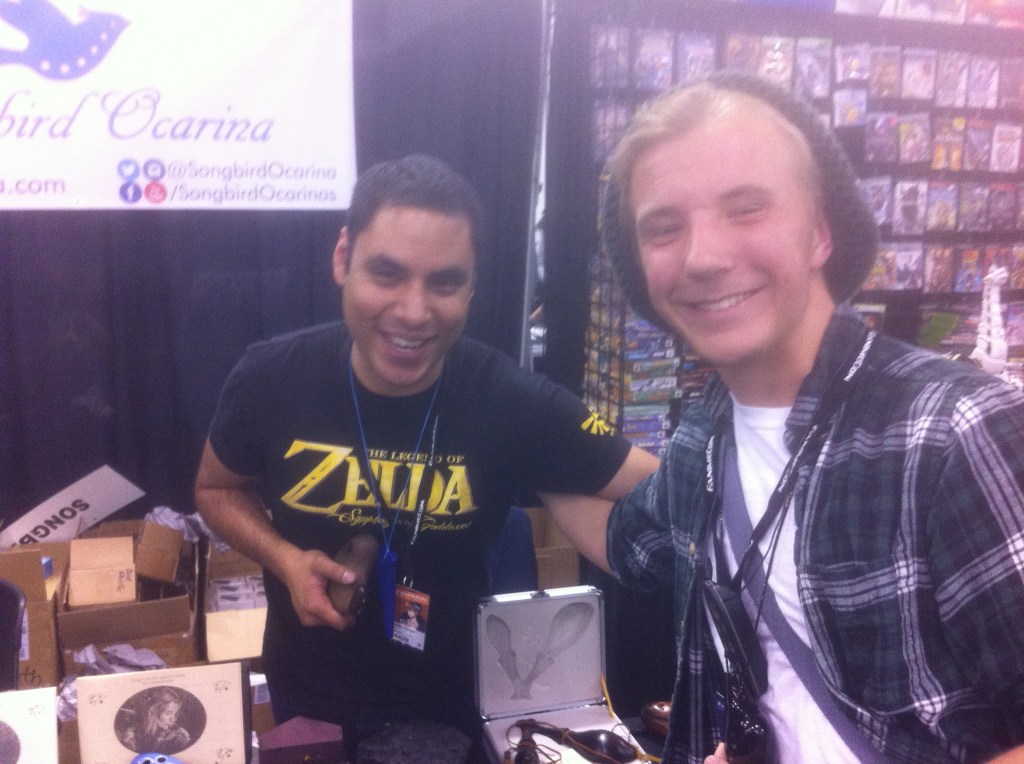
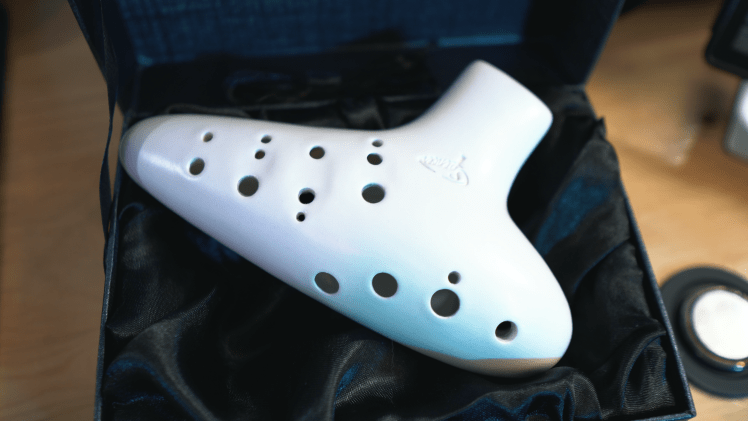

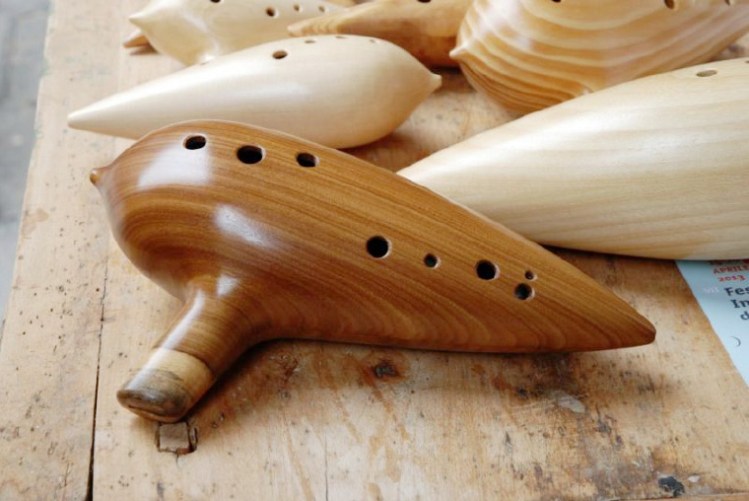

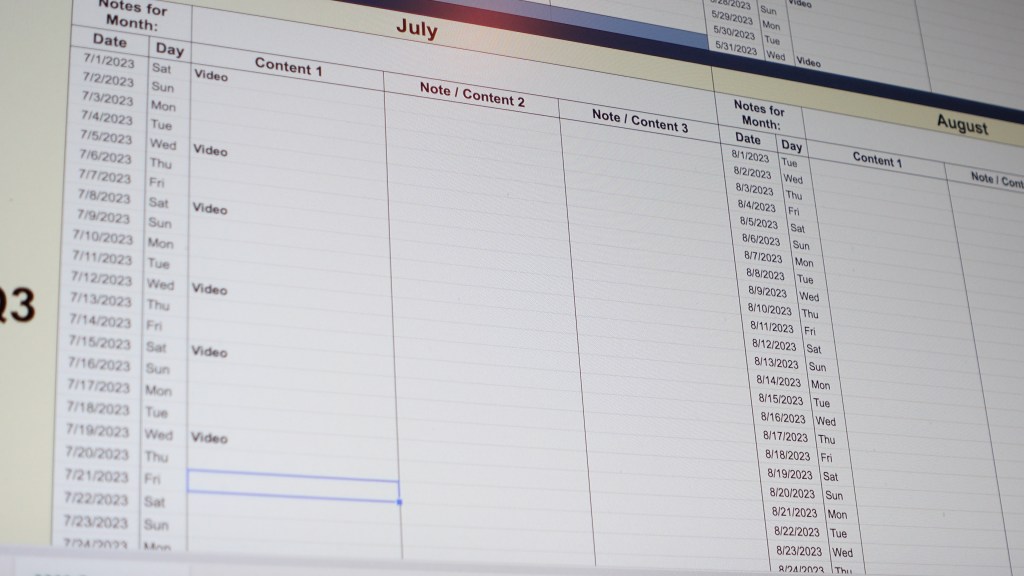

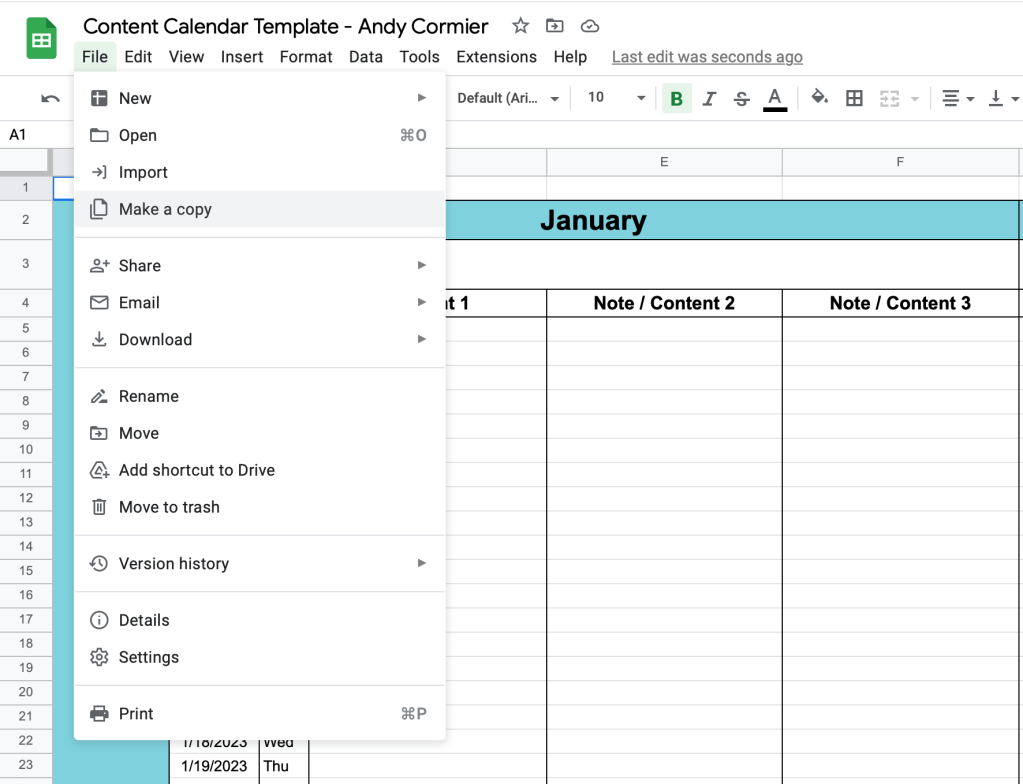
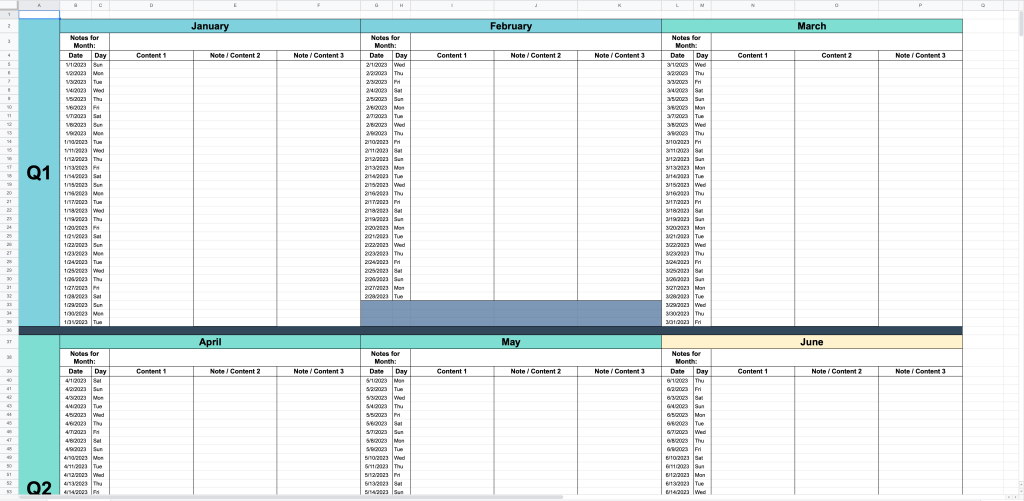




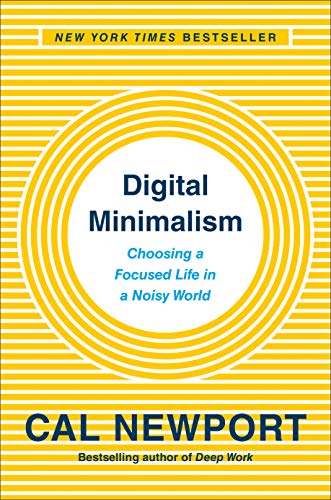



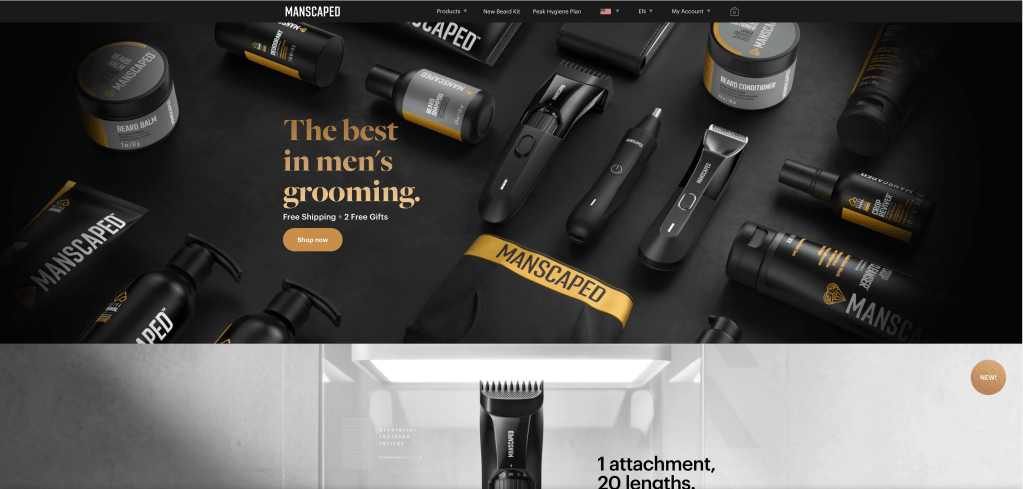




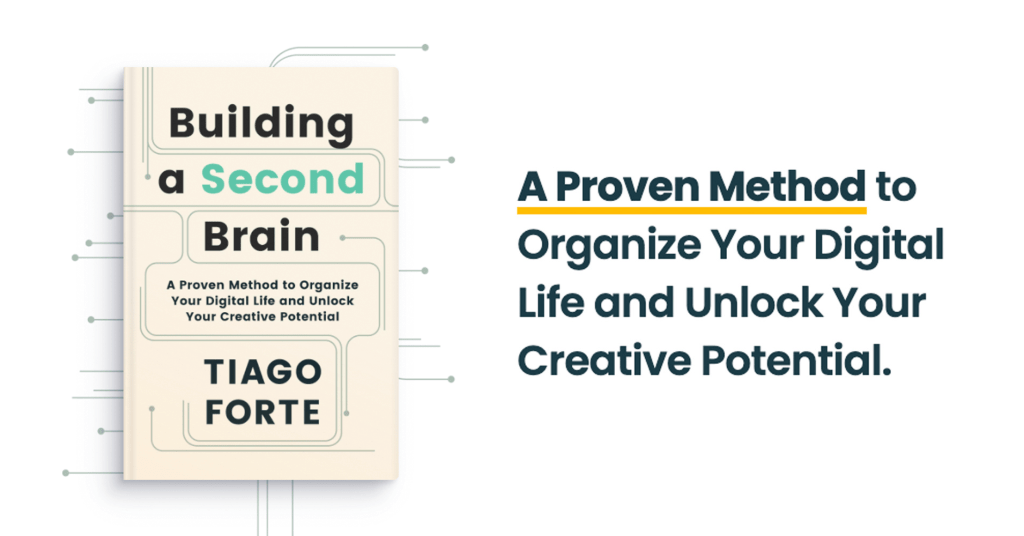
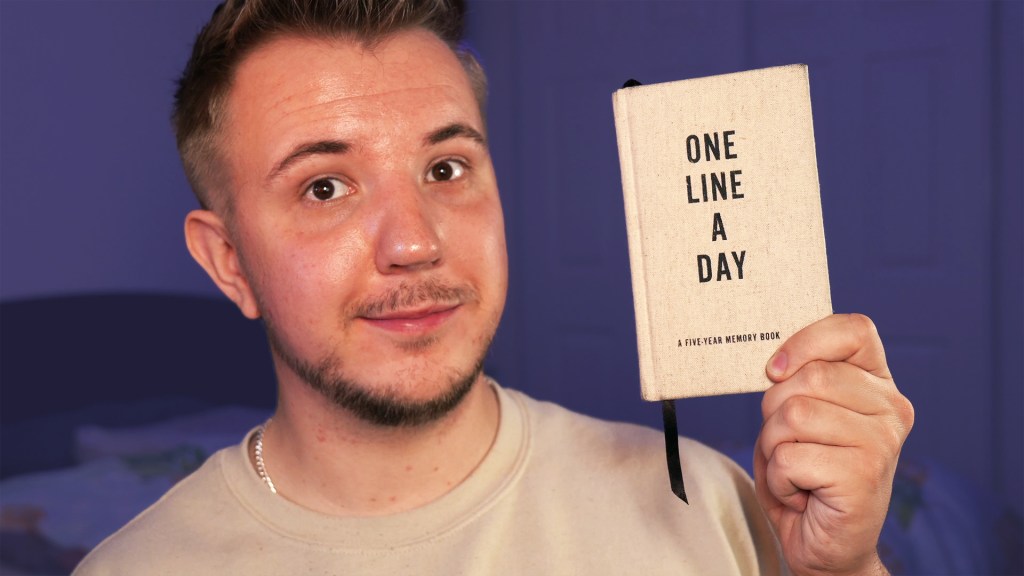
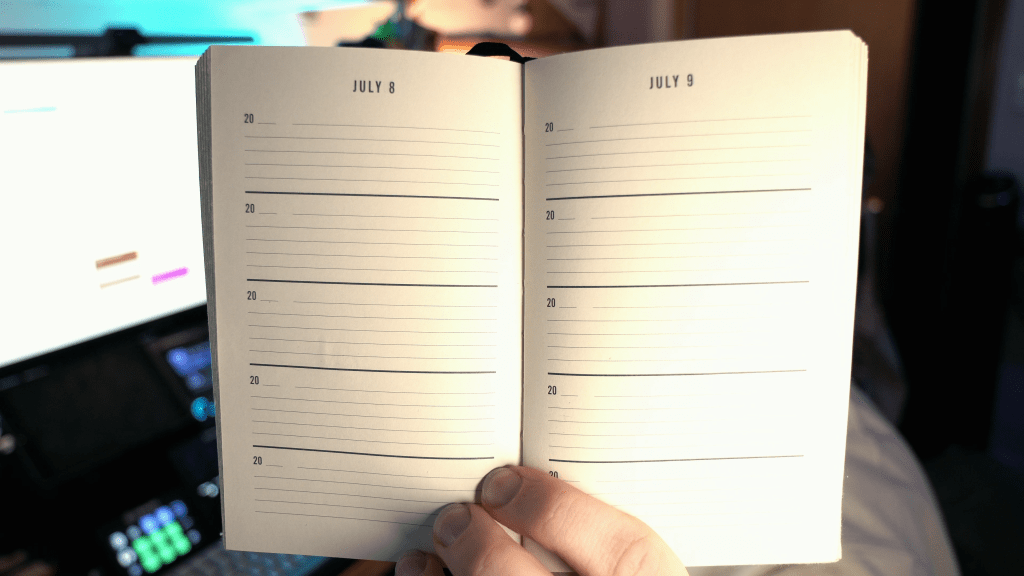



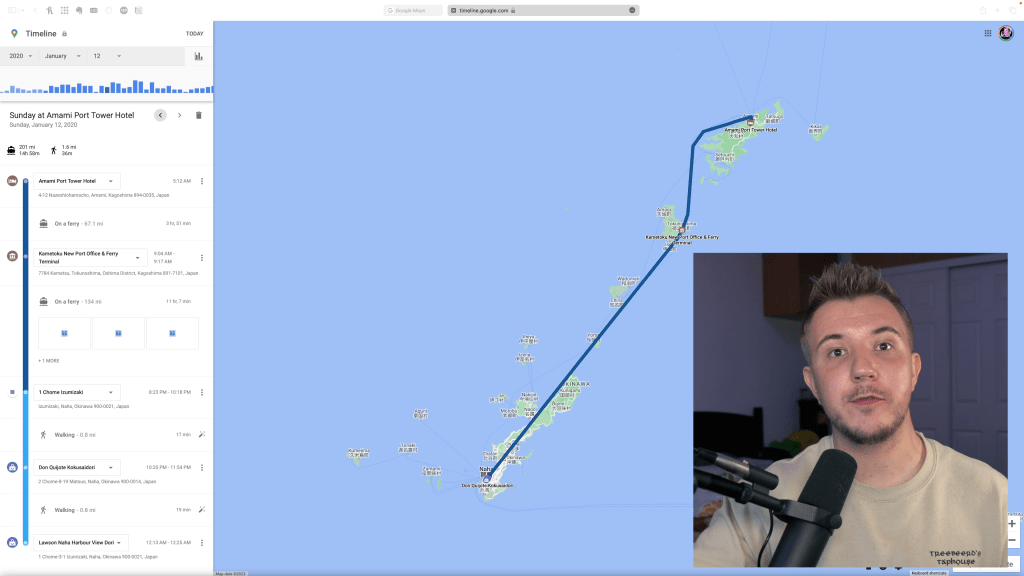


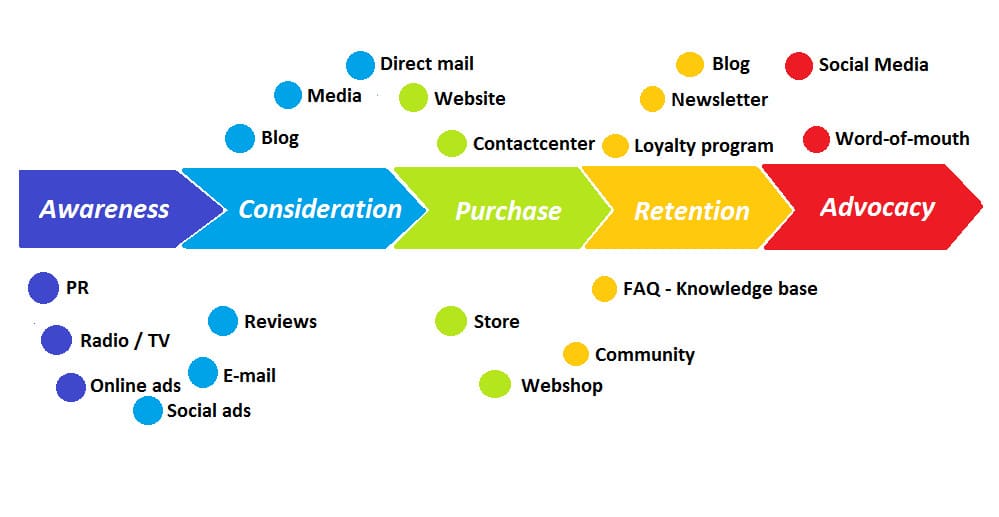



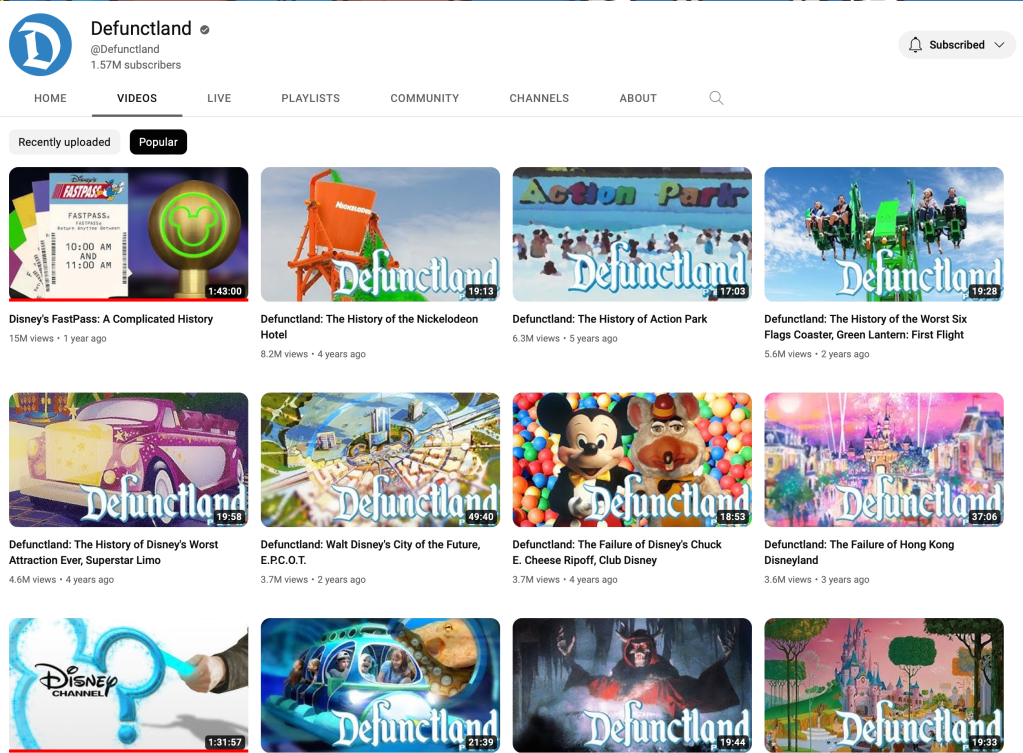



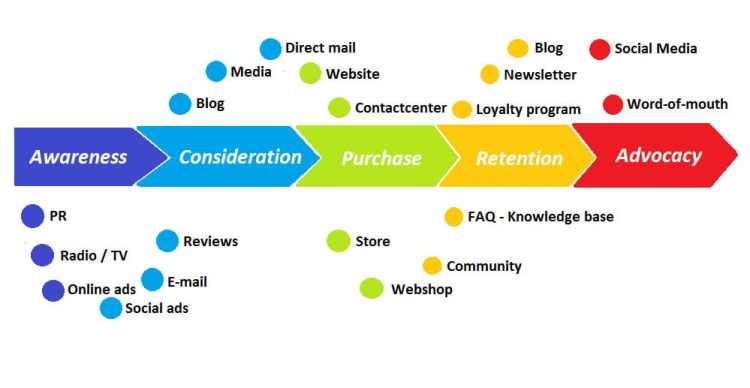


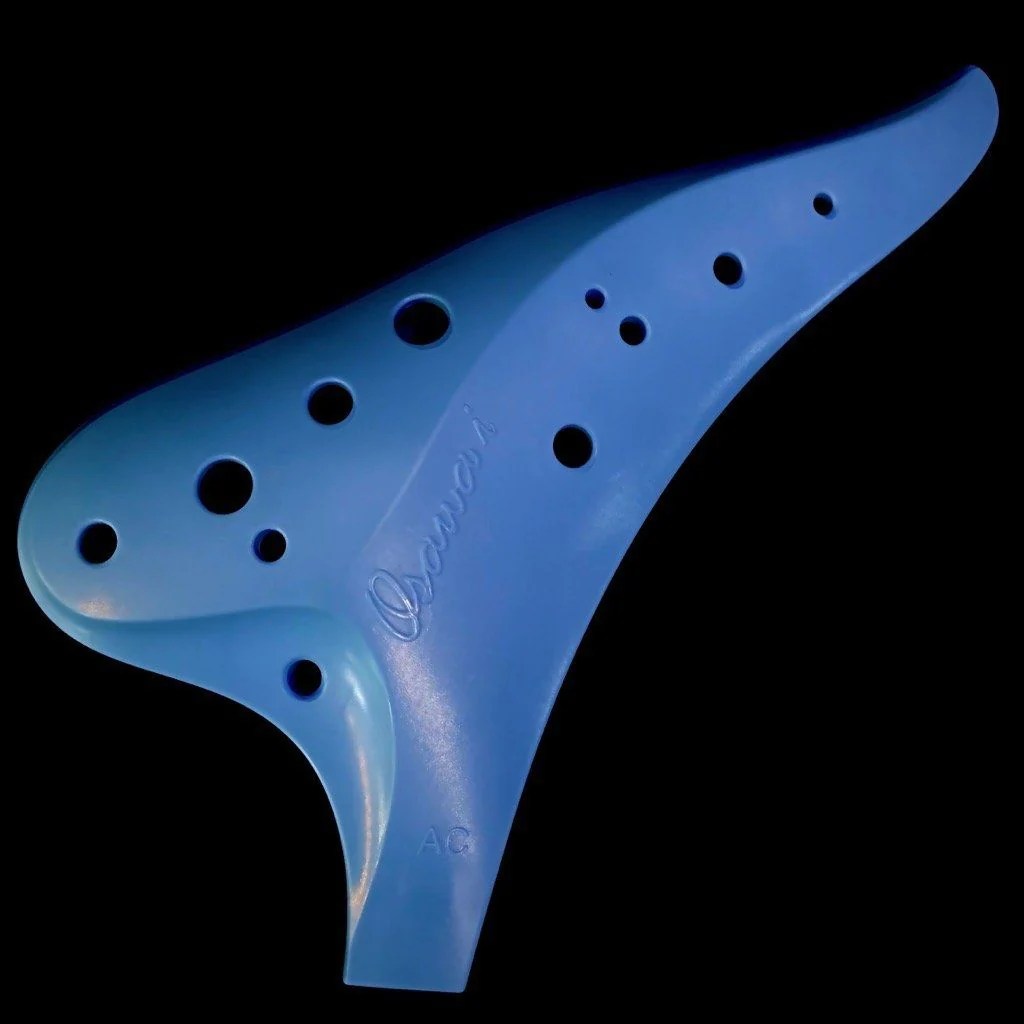
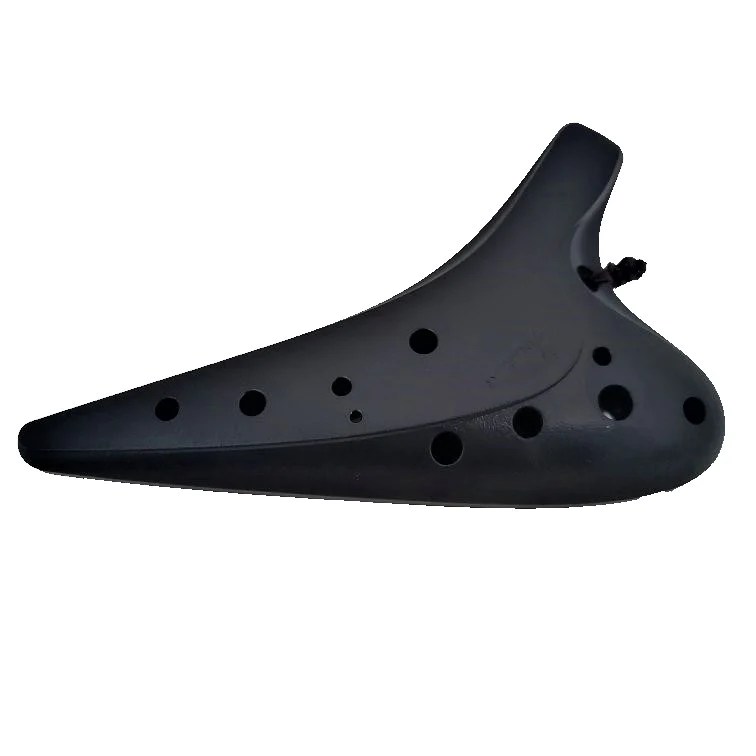

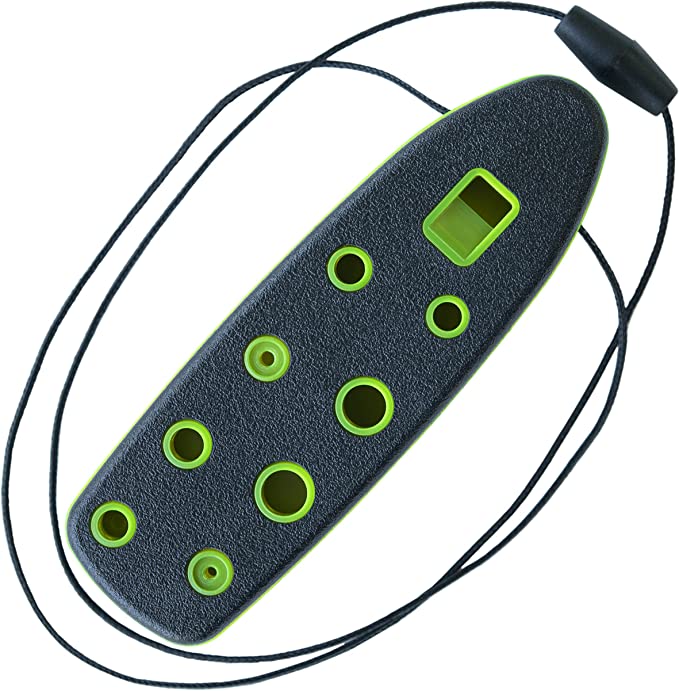
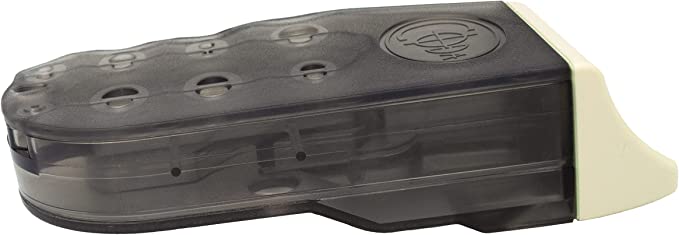
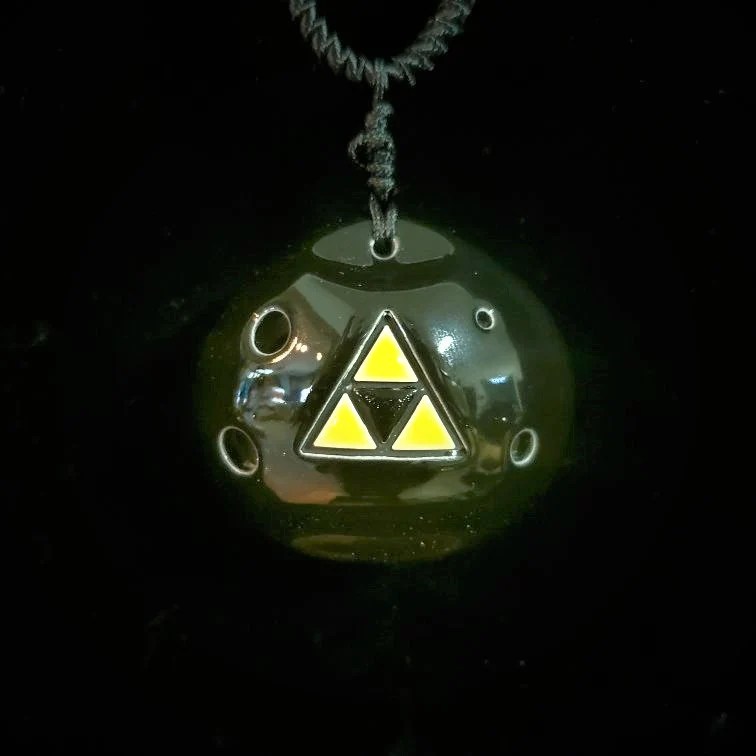


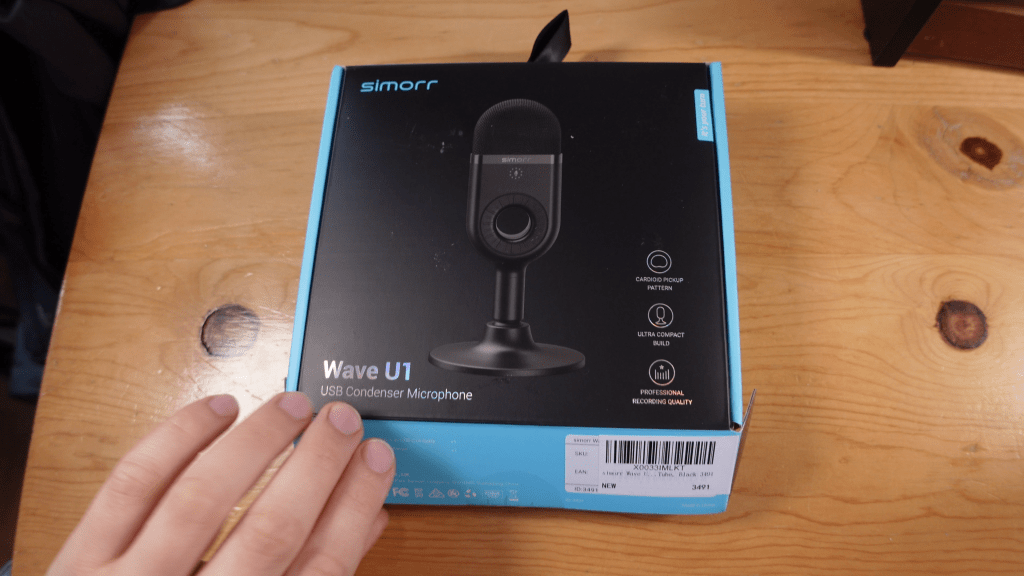
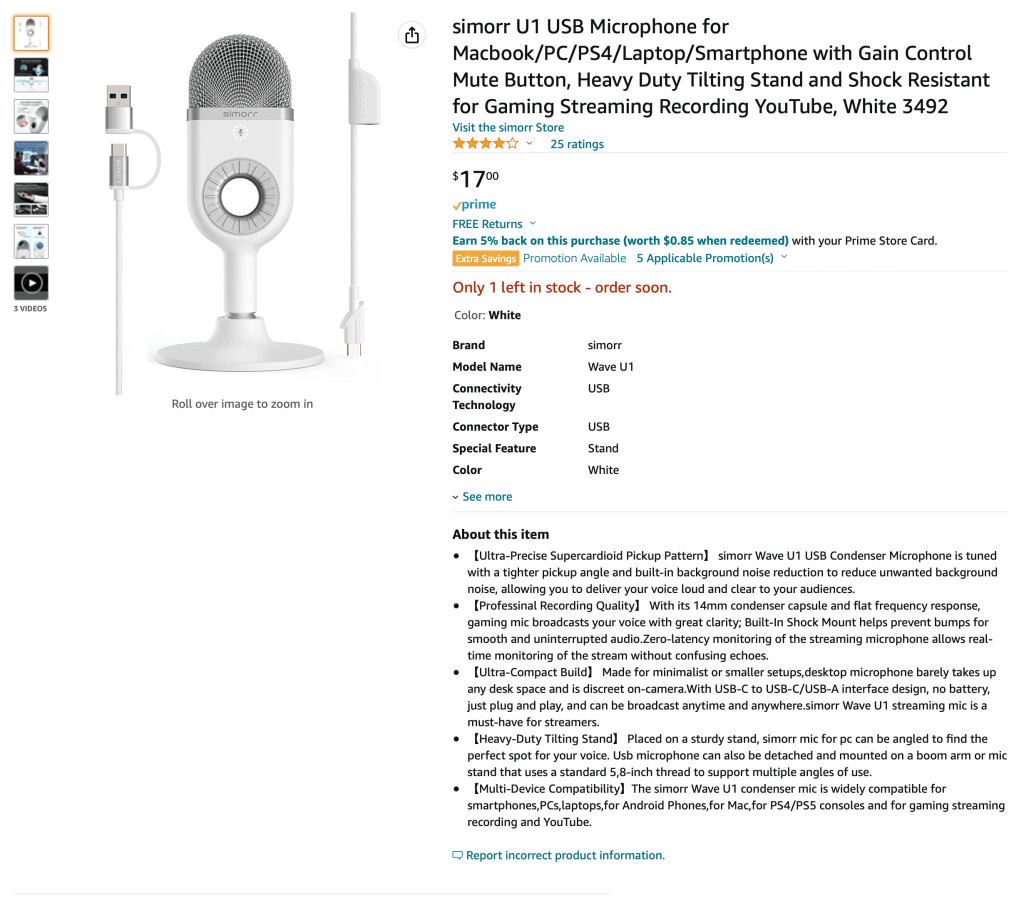
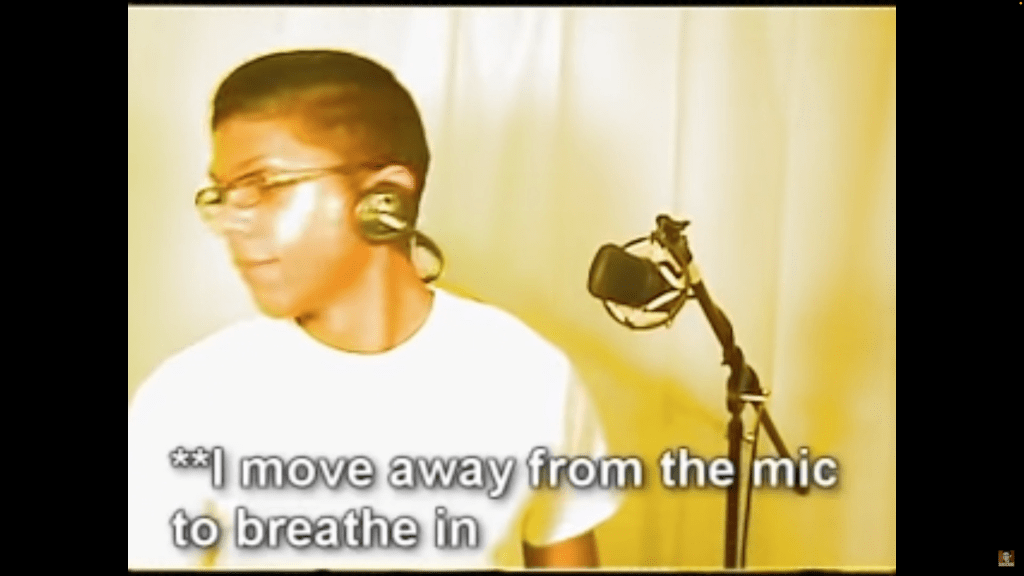

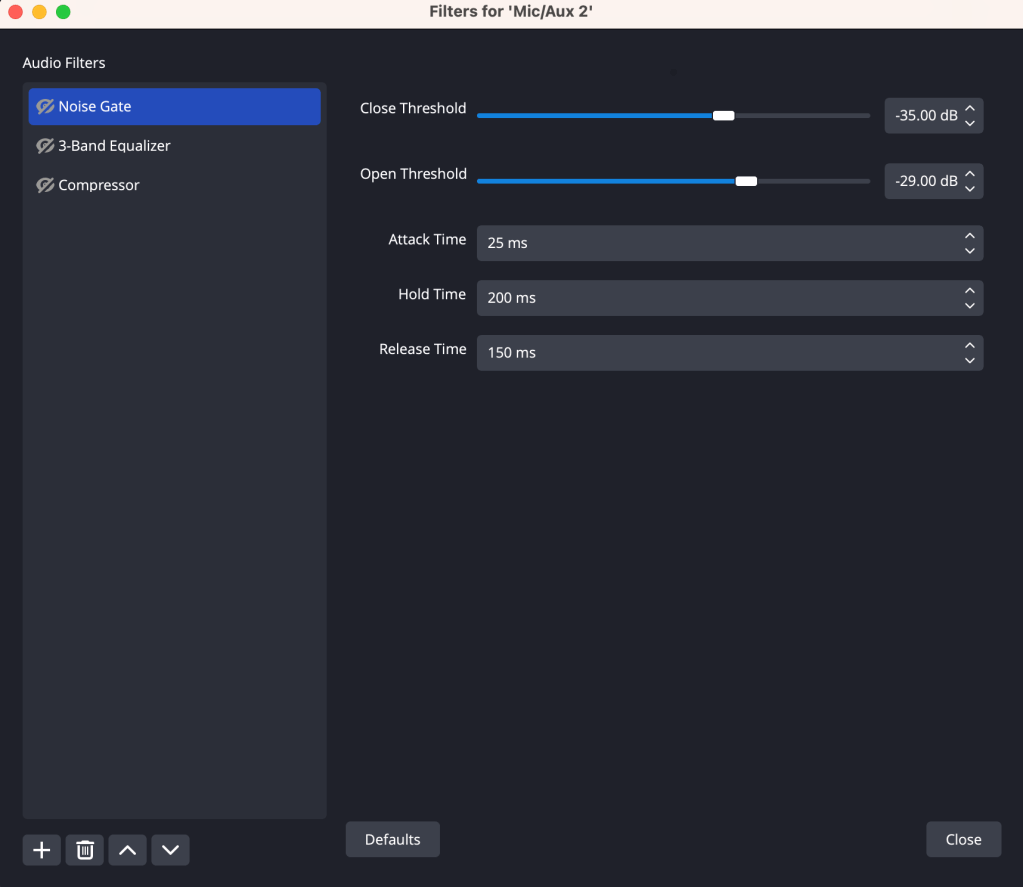

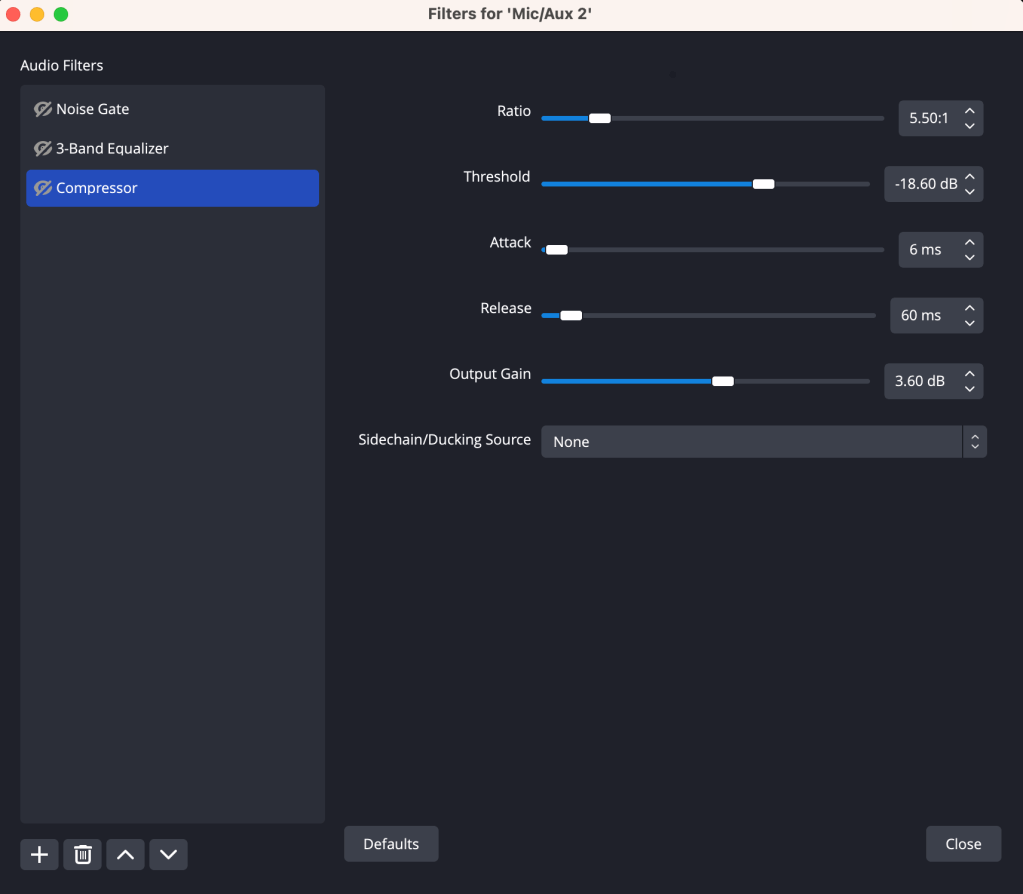
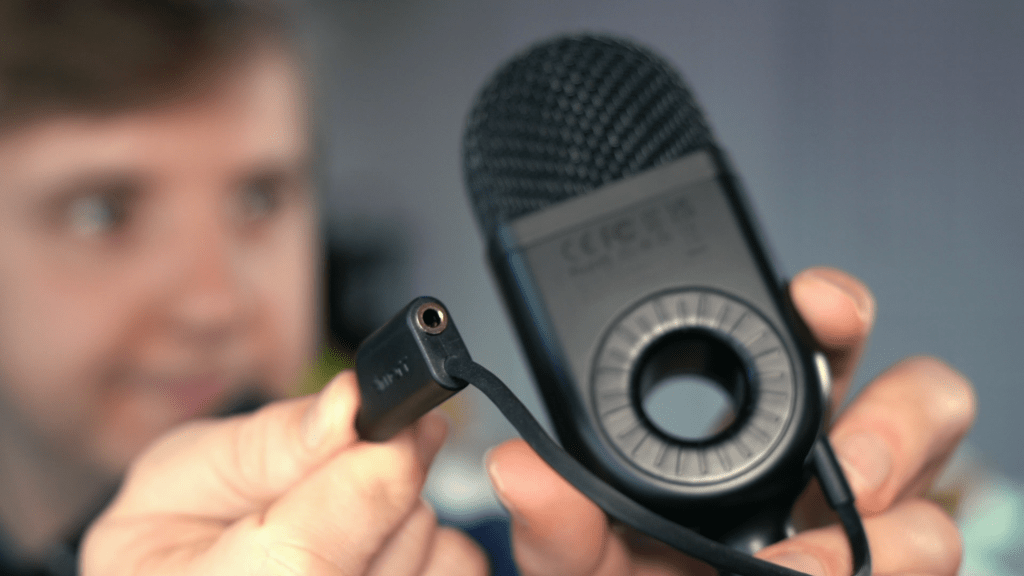
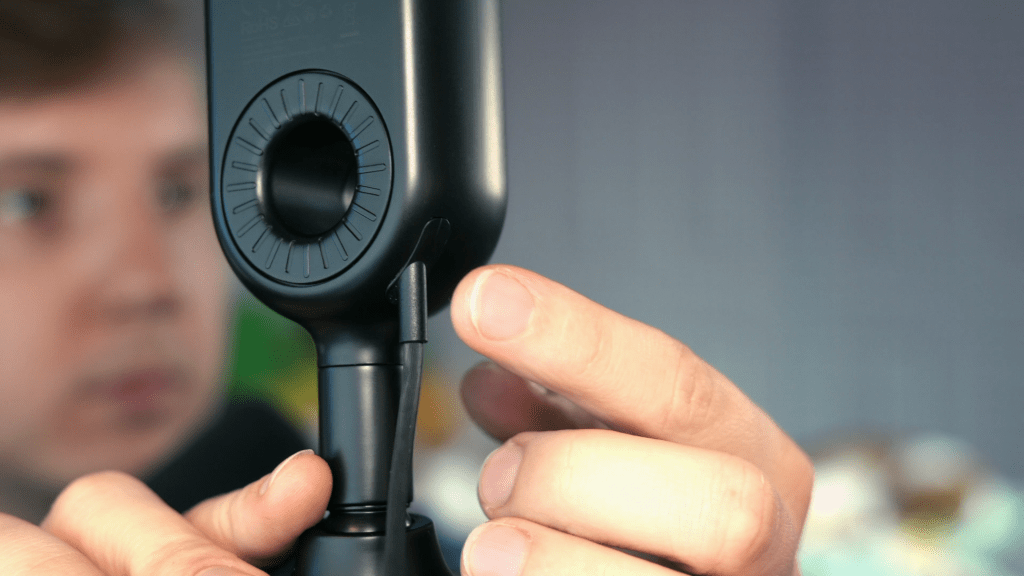


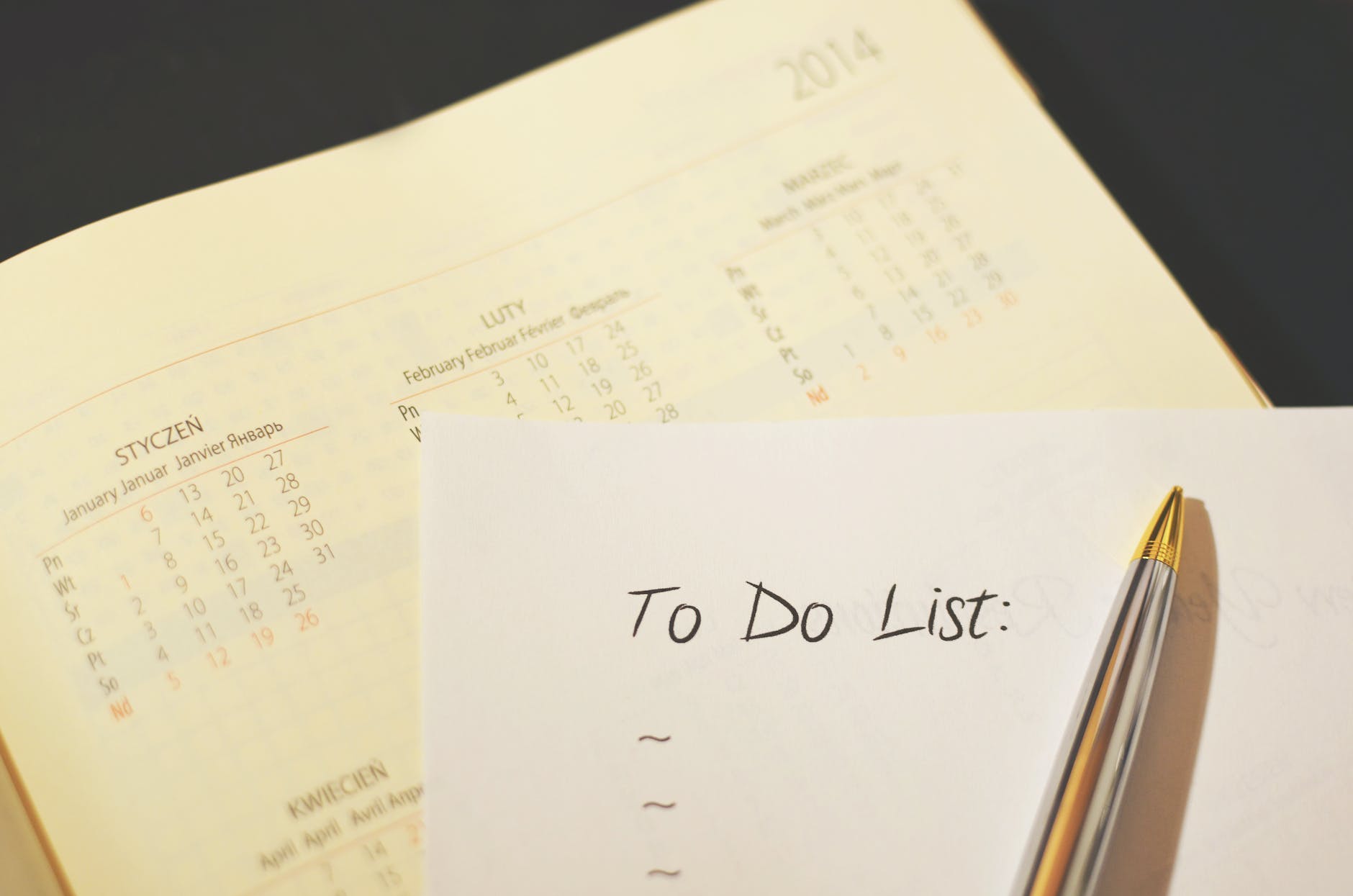

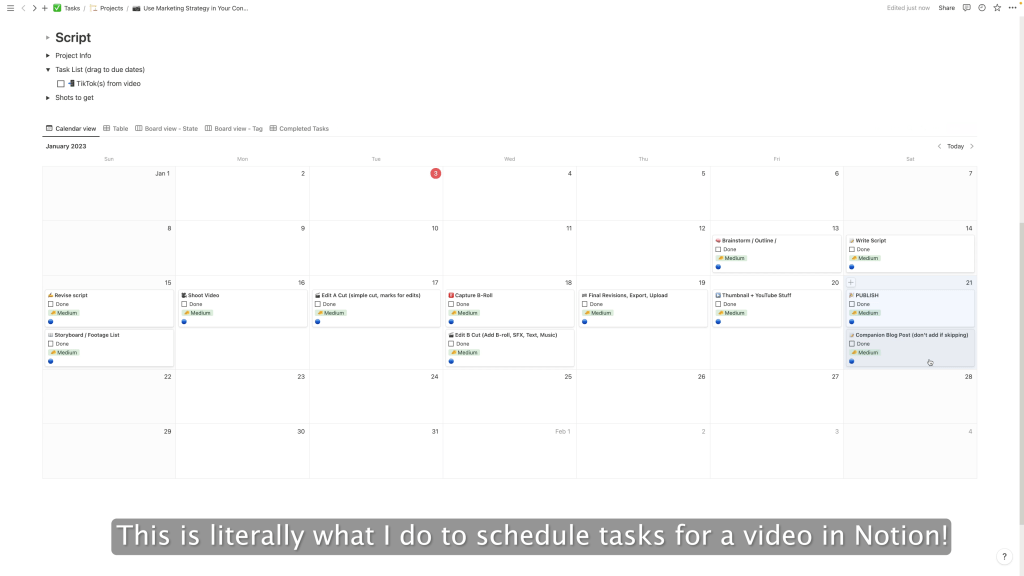

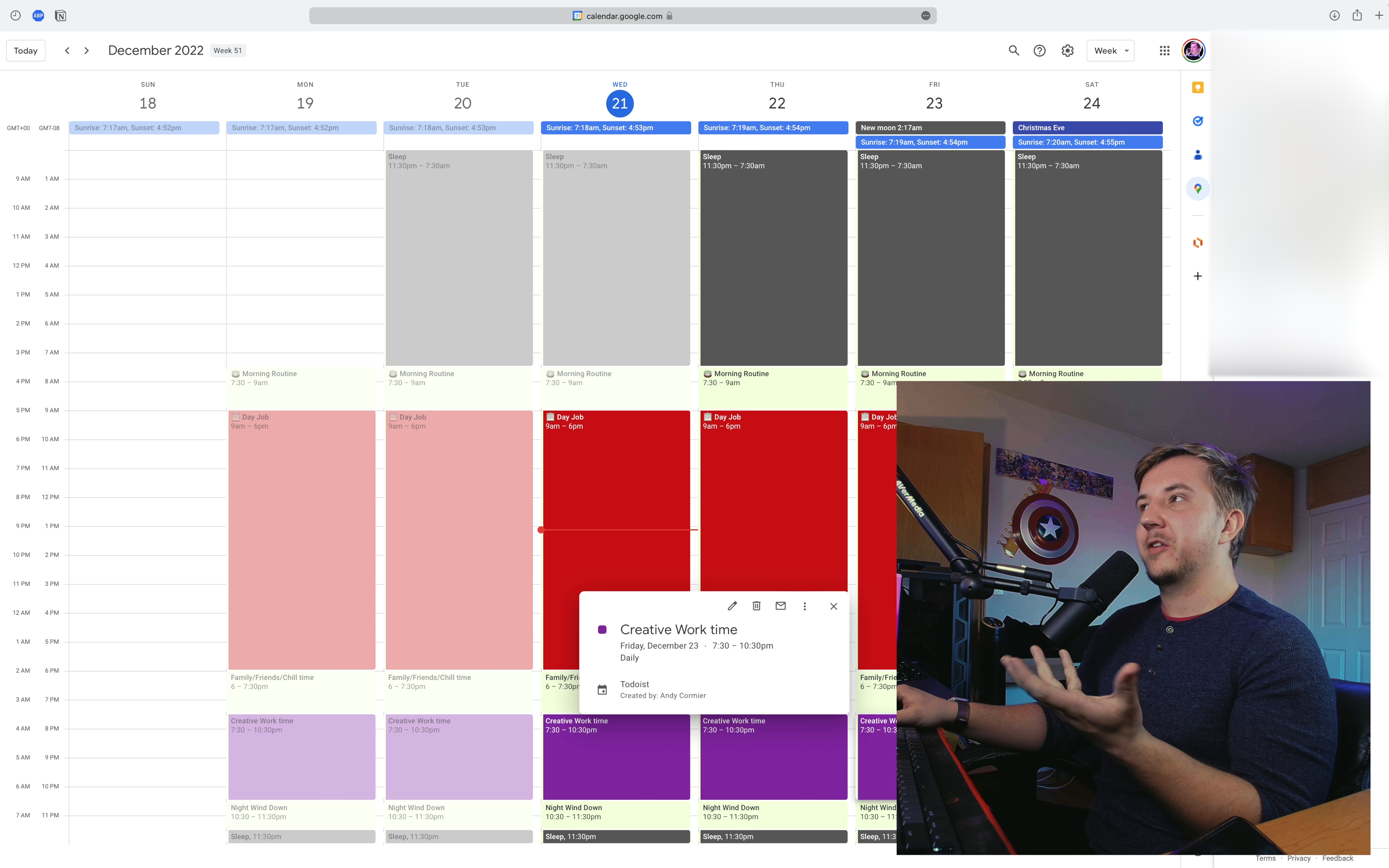
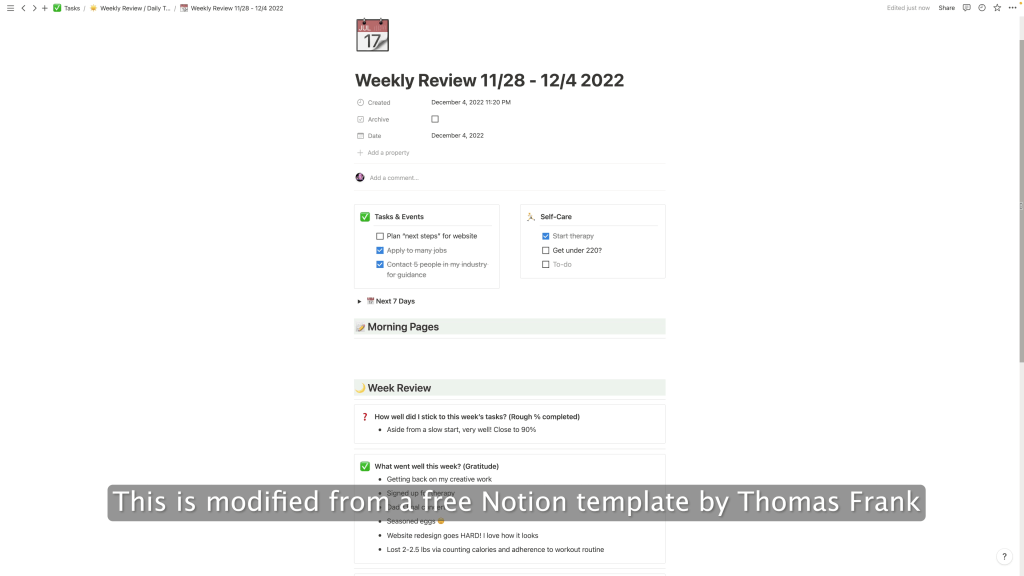
 Andy Cormier